Video tutorial: SGKV1 Fab link:
Create a new SGKV1 project, then enable the Smooth Locomotion System (SLS) plugin in the project, and restart the project.

Copy all files from the Content directory of the SLS sample project to SGKV1.
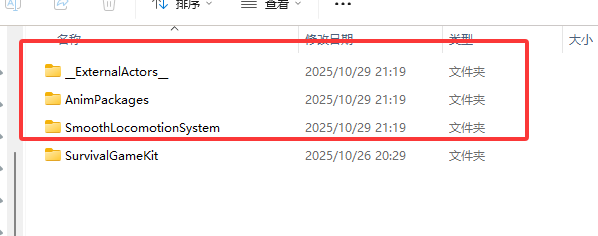
Copy all files under the SGKV1_SLS_Integration directory from the SLS sample project link to SGKV1.
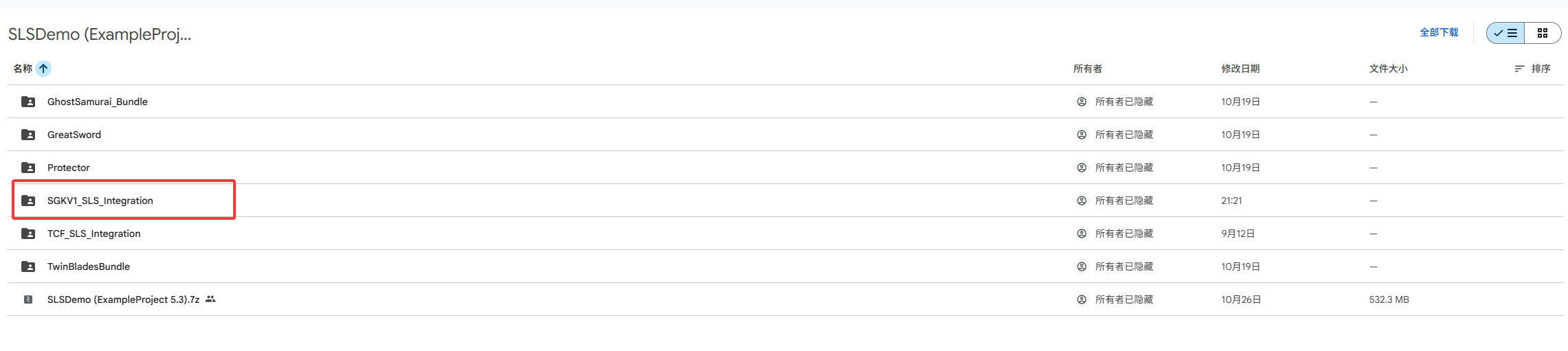
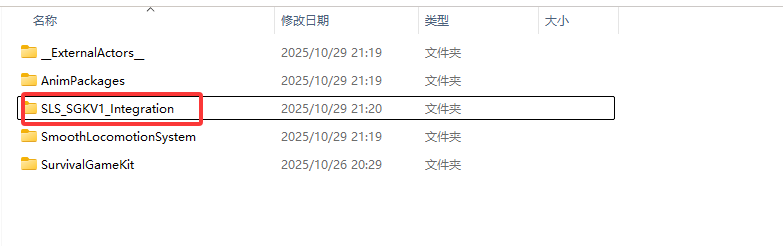
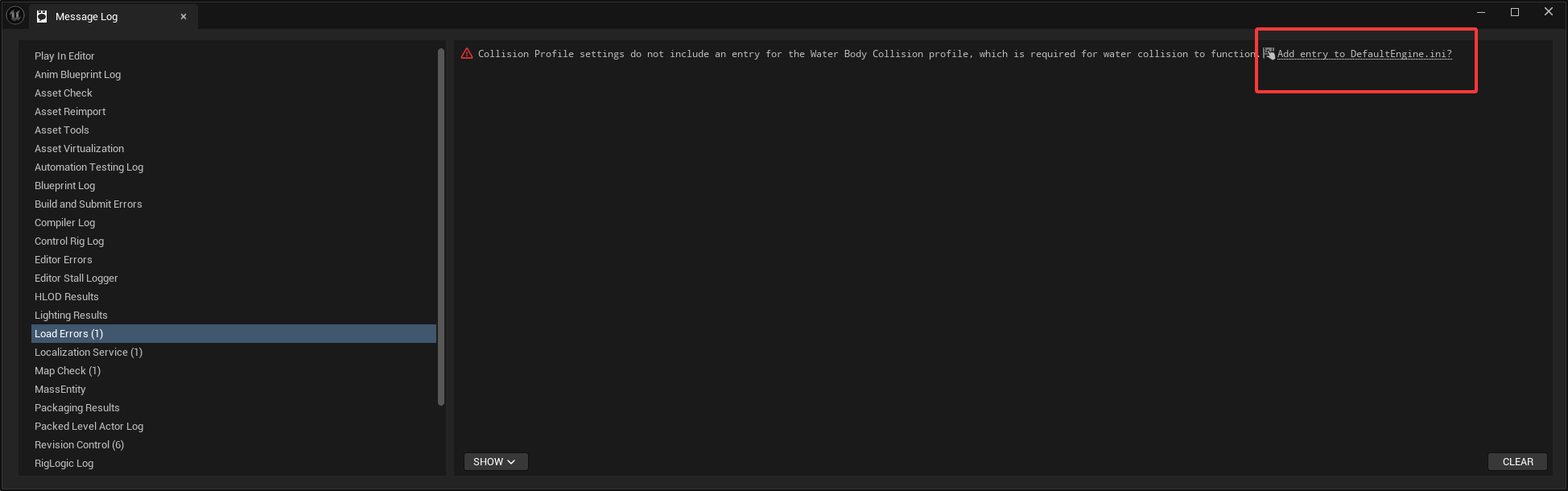
After reopening the project, you will receive the following prompt. This is because SLS enables the Water plugin by default. You only need to click the Add entry to DefaultEngine.ini button below:
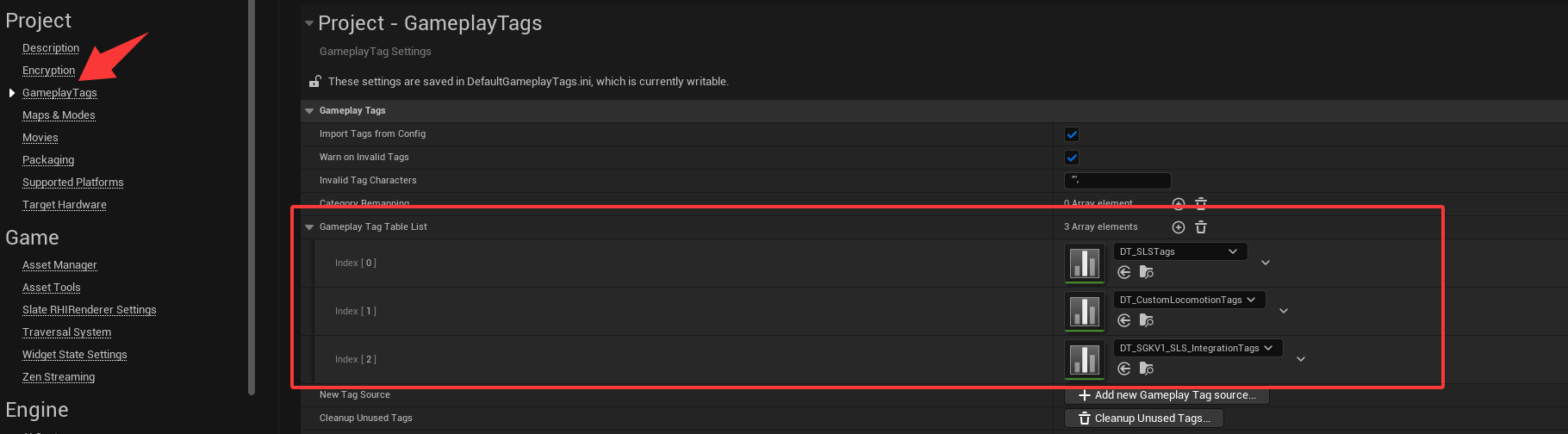
In Project Settings, add the required GameplayTags data tables to the Gameplay Tag Table List: DT_SLSTags, DT_CustomLocomotionTags, and DT_SGKV1_SLS_IntegrationTags.
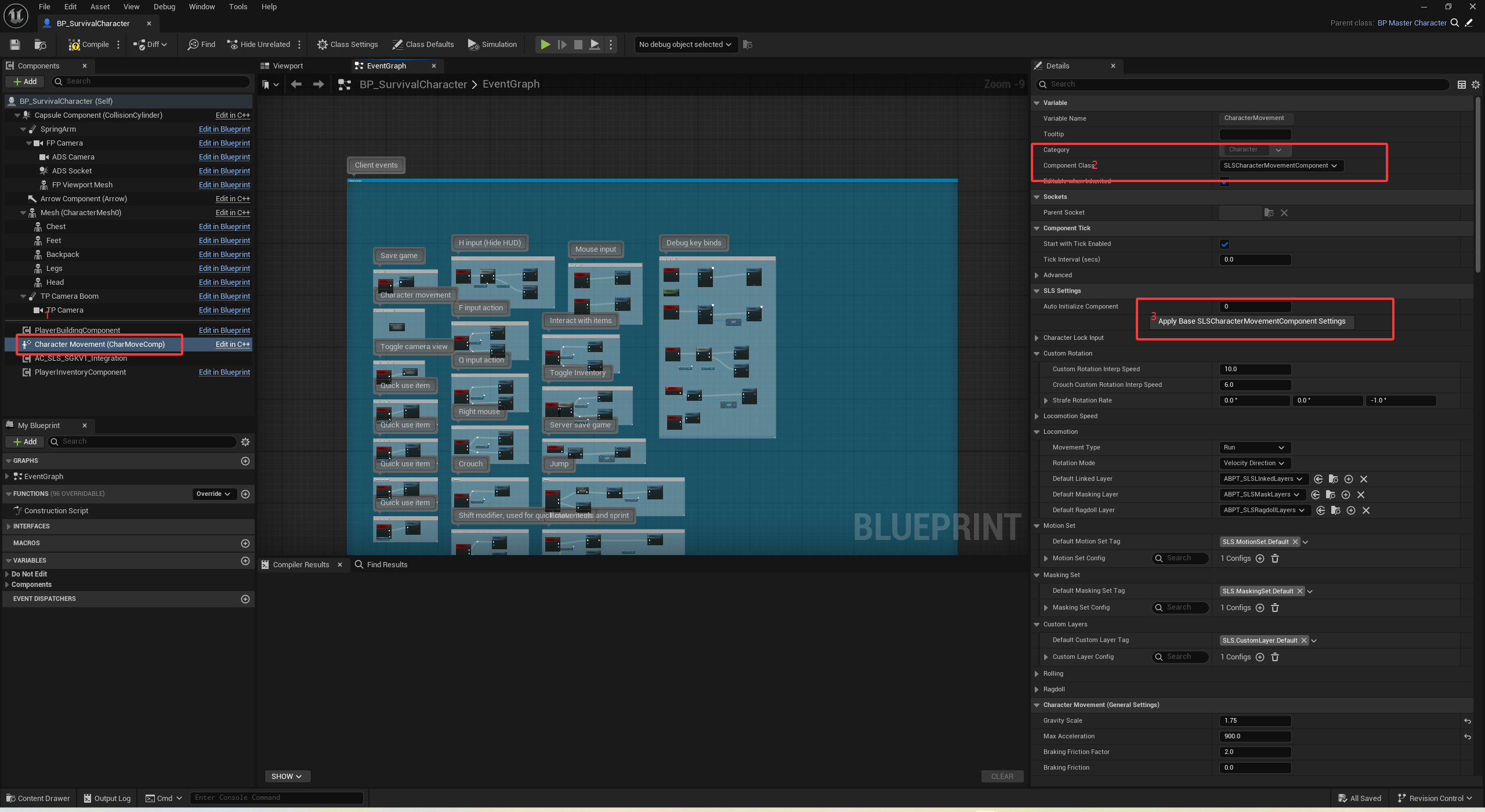
Open the character Blueprint (BP_SurvivalCharacter), change the Component Class of Character Movement to SLSCharacterMovementComponent, and click the Apply Base SLSCharacterMovementComponent Settings button below.
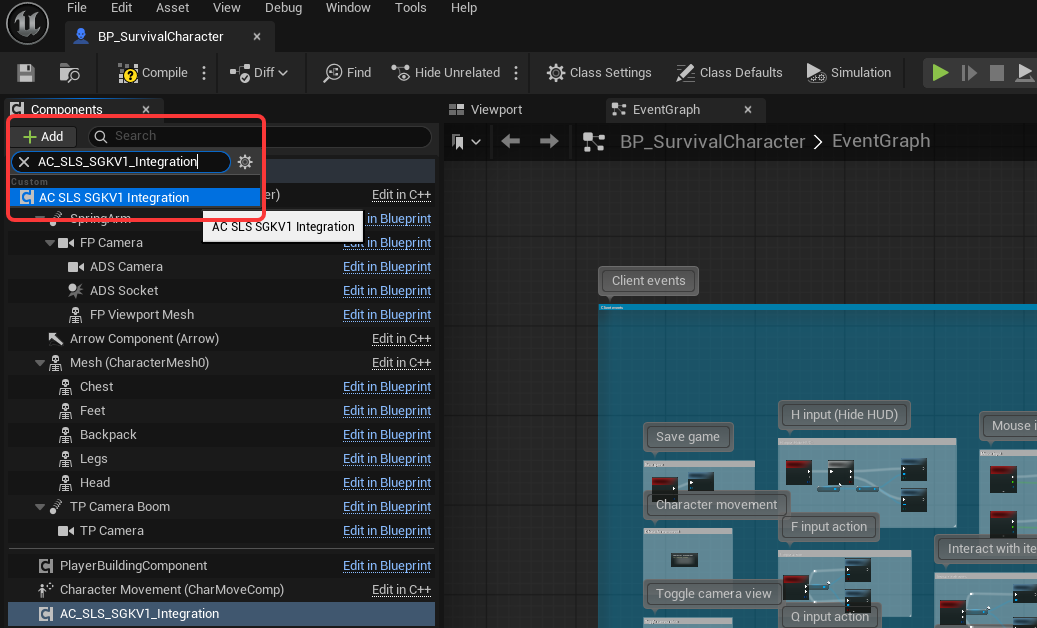
Add the AC_SLS_SGKV1_Integration component to the character Blueprint (BP_SurvivalCharacter).
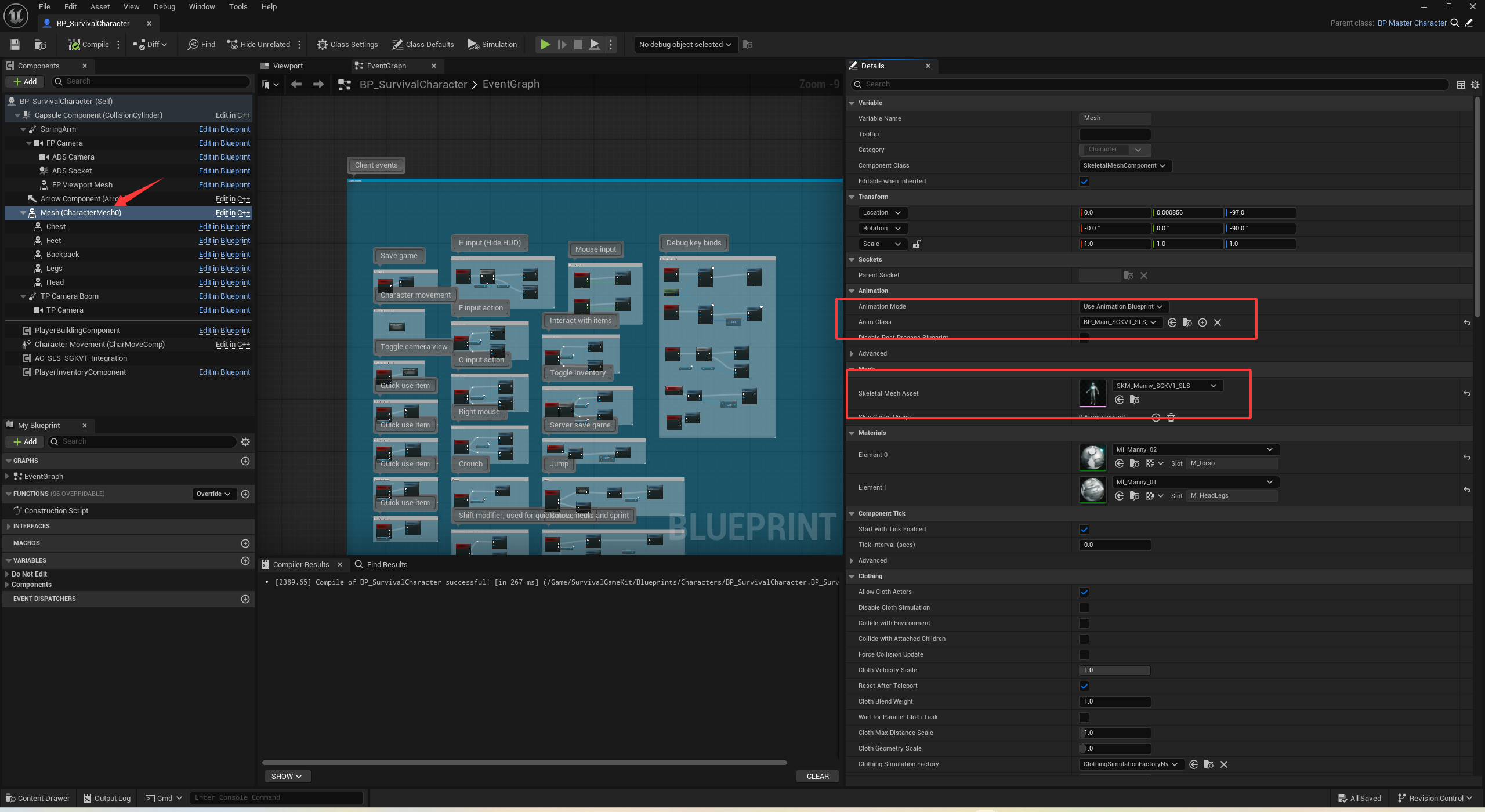
Find the Mesh component of the character Blueprint (BP_SurvivalCharacter), change SkeletalMeshAsset to SKM_Manny_SGKV1_SLS, and change AnimClass to BP_Main_SGKV1_SLS
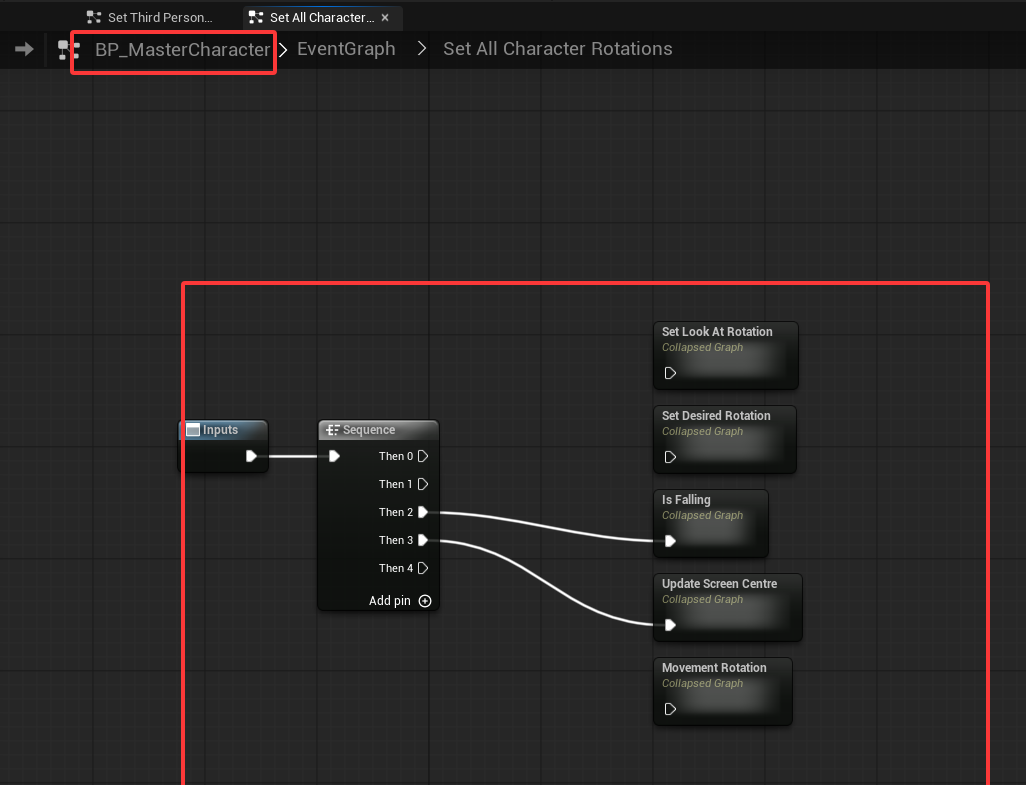
Find the parent class of the character Blueprint (BP_SurvivalCharacter), find the Event Timer, go into the collapsed graph (Set All Character Rotations), then disconnect Then 0, Then 1, and Then 4.
Find the item parent class BP_MasterHoldable; we need to update MaskingSetTag when equipping and unequipping the weapon.
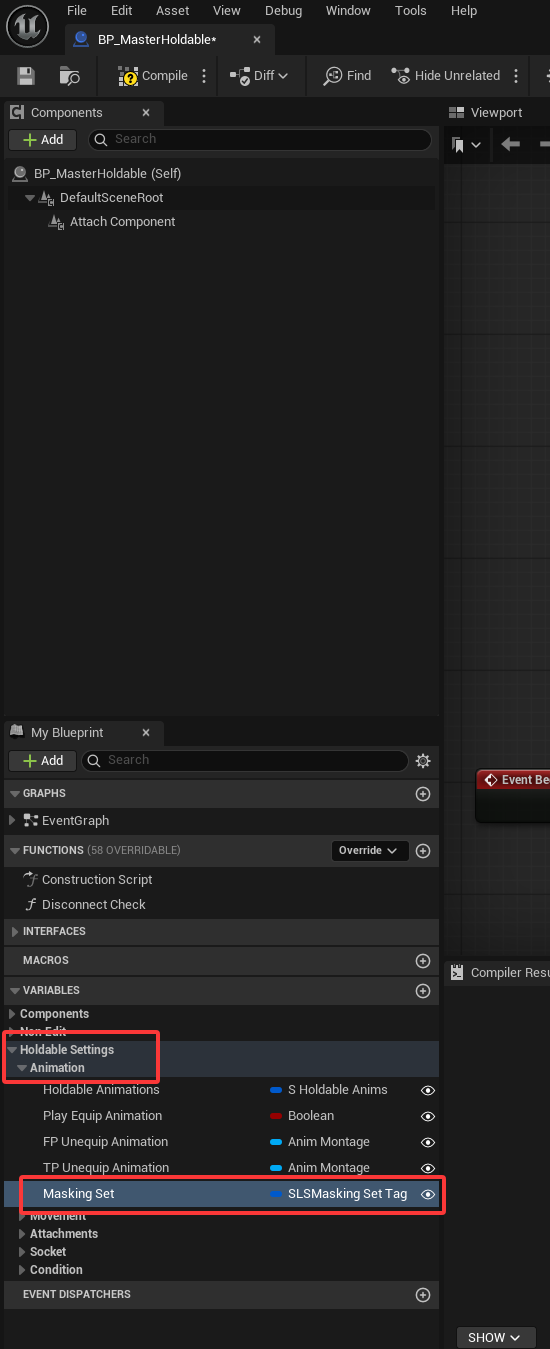
First, we need to add a variable, MaskingSet, of type SLS Masking Set Tag, and set its default value to SLS.MaskingSet.Default.
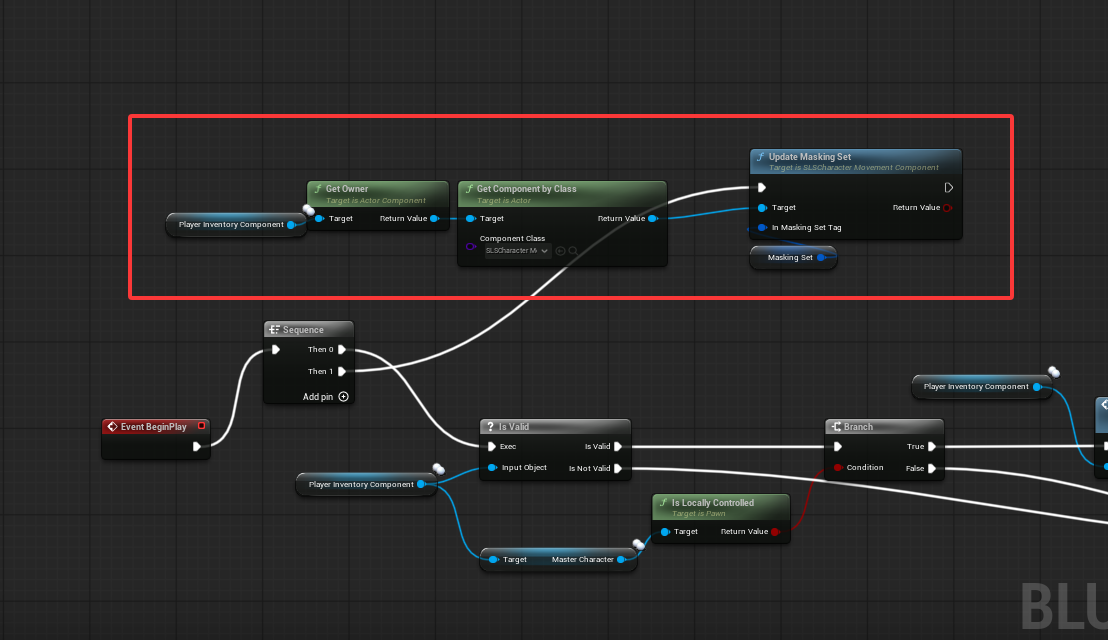
In BeginPlay, add a piece of code that calls the UpdateMaskingSet function in SLSCharacterMovementComponent.
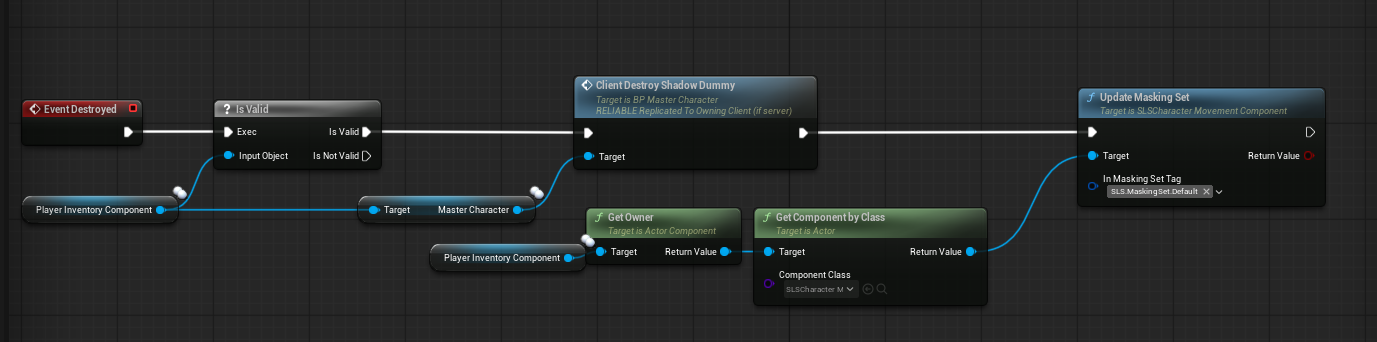
In Destroyed, add a piece of code that calls the UpdateMaskingSet function in SLSCharacterMovementComponent to set MaskingSet back to its default value.
Update the Masking Set of the following item Blueprint classes to the specified Tag:
BP_Pickaxe — SLS.MaskingSet.SGKV1.Axe BP_P911 — SLS.MaskingSet.SGKV1.P911 BP_M4A4 — SLS.MaskingSet.SGKV1.M4 BP_M1982 — SLS.MaskingSet.SGKV1.M4 BP_Hammer — SLS.MaskingSet.SGKV1.Hammer BP_Flashlight — SLS.MaskingSet.SGKV1.Flashlight BP_Axe — SLS.MaskingSet.SGKV1.Axe
Finally, save everything! This completes all integration of SGKV1 with SLS.
Comments
Share your thoughts and discuss with everyone