Overview
The smooth motion system is completely data-driven. Motion settings are accomplished by configuring motion-related parameters and animation assets in data assets. To use motion sets, you need to define a corresponding GameplayTag that begins with SLS.MotionSet. and configure it in the MotionSet list of the integrated dataset:
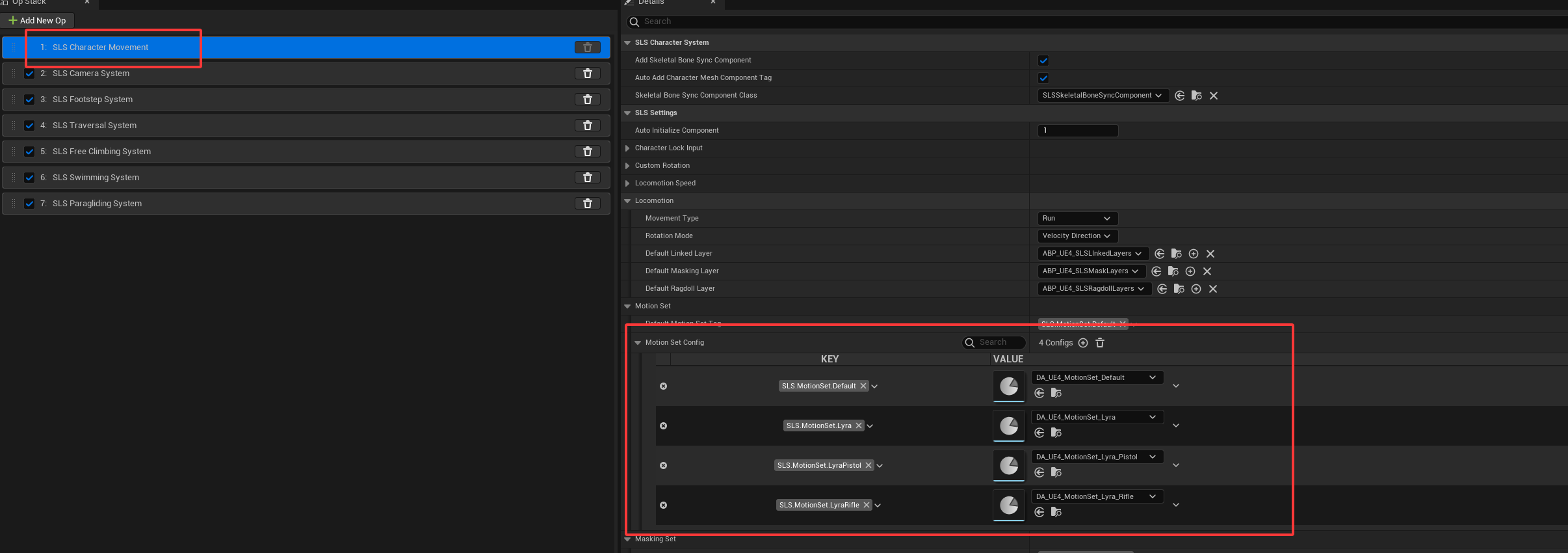
Motion Sets
The data populated is the animation sequence, and the data extracted for later use is the root motion data within these animation sequences. Therefore, root motion is required for motion animations. Without root motion, the data cannot be extracted and used later for correct animation playback. To create a motion data asset, right-click in the Content Browser and select SLS/Motion Data Asset.
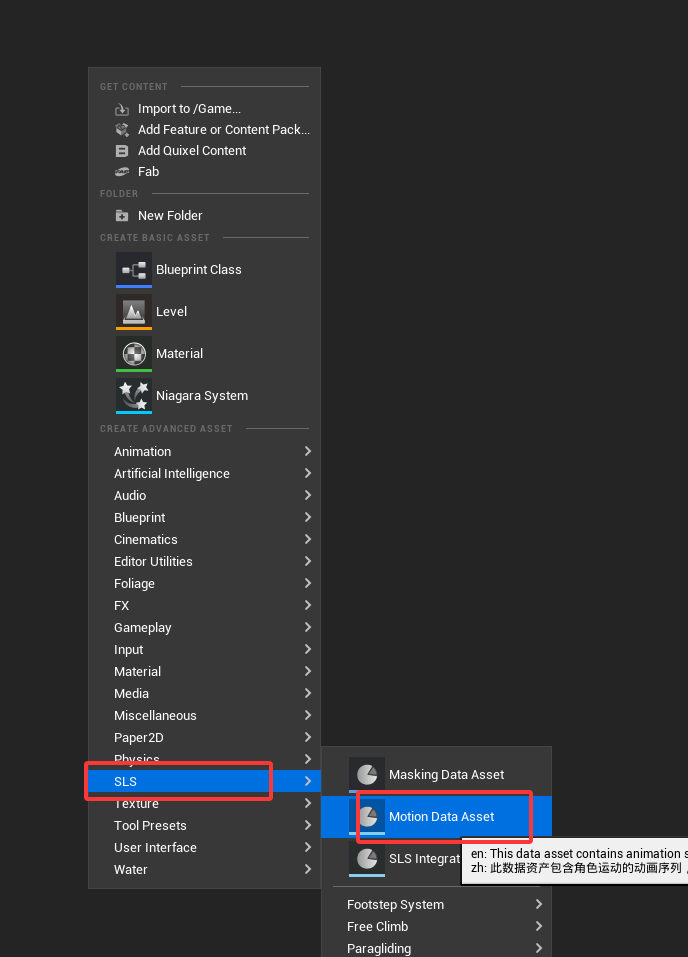
After creating a new one and opening the blueprint, you will get the following interface, which is very intuitive and you can quickly know what you need:
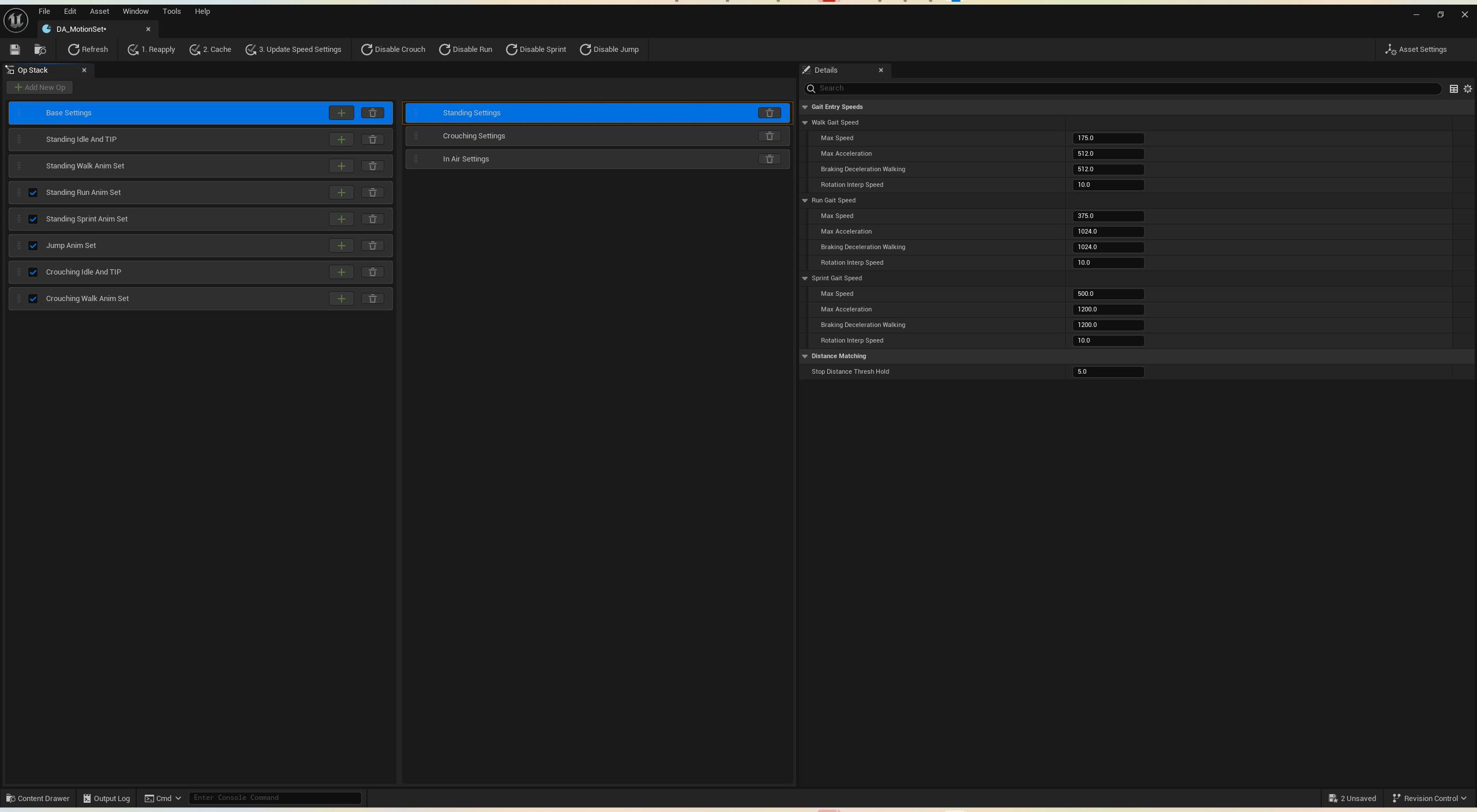
The minimum animation configuration you need is: Idle, Turn In Place, and four-way start, loop, and end animations (Walk). Once you've completed the configuration, you'll need to follow these steps: Click the three buttons in the empty box below to extract the root motion data and pre-cache some settings. Then, return to the Content Browser panel and click Save All to save the associated animation sequence.
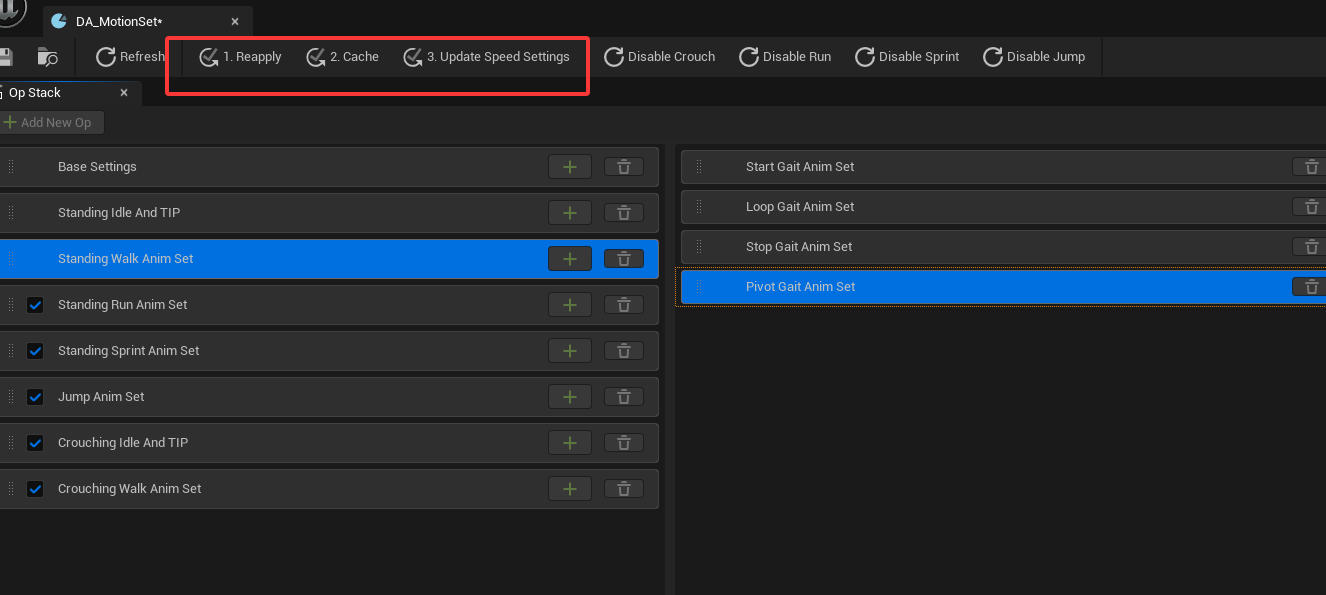
Once you have completed the above, you have completed all the configuration required for the motion set, and you can then add it to the integrated data asset for testing.
Comments
Share your thoughts and discuss with everyone