Overview
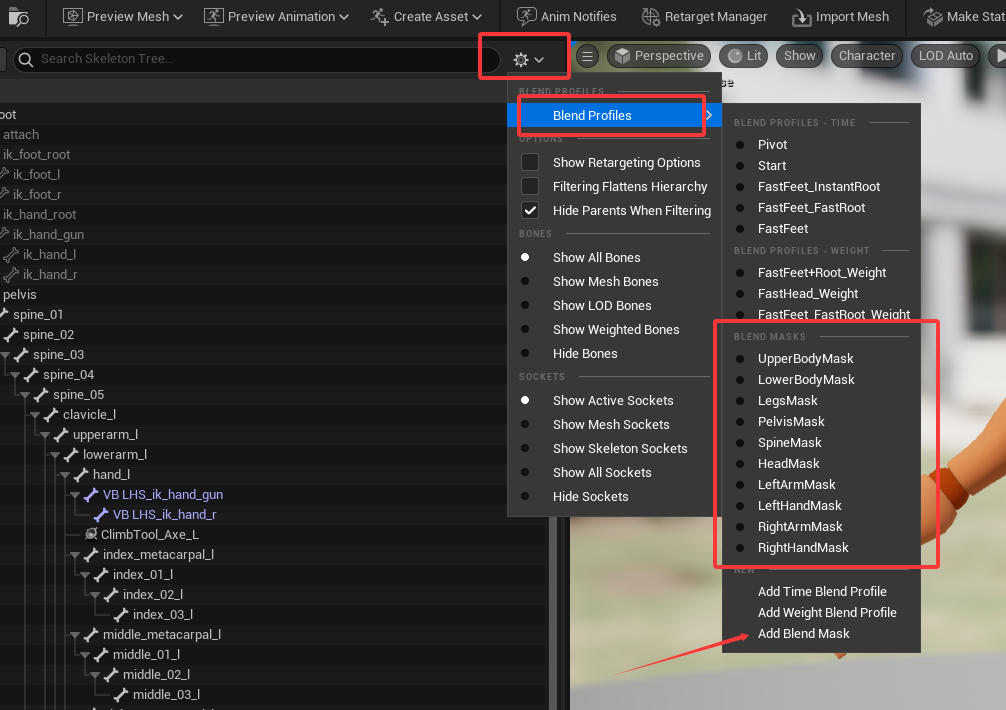
This acts as a full-body action overlay, allowing you to create overlay poses for everything from wounded poses to defensive poses to those with weapons and swords. This utilizes UE4's Blend Mask system. If you're using your own skeleton, you'll need to add some default Blend Masks to your skeleton. These can be found in the default skeleton section of the plugin. You'll also need to add these to your own skeleton (Add Blend Mask), ensuring the names and weights match those in the example.
UpperBodyMask: Upper body mask.
LegsMask: Leg mask.
PelvisMask: Pelvis mask.
SpineMask: Spine mask.
HeadMask: Head mask.
LeftArmMask: Left arm mask.
LeftHandMask: Left hand mask.
RightArmMask: Right arm mask.
RightHandMask: Right hand mask.
In this way, we can use MaskingSet normally and perform posture blending on various parts of the body.
In addition, to use the motion set, you need to define a GameplayTags that starts with SLS.MaskingSet. and configure it to the MaskingSet list of the integrated dataset:
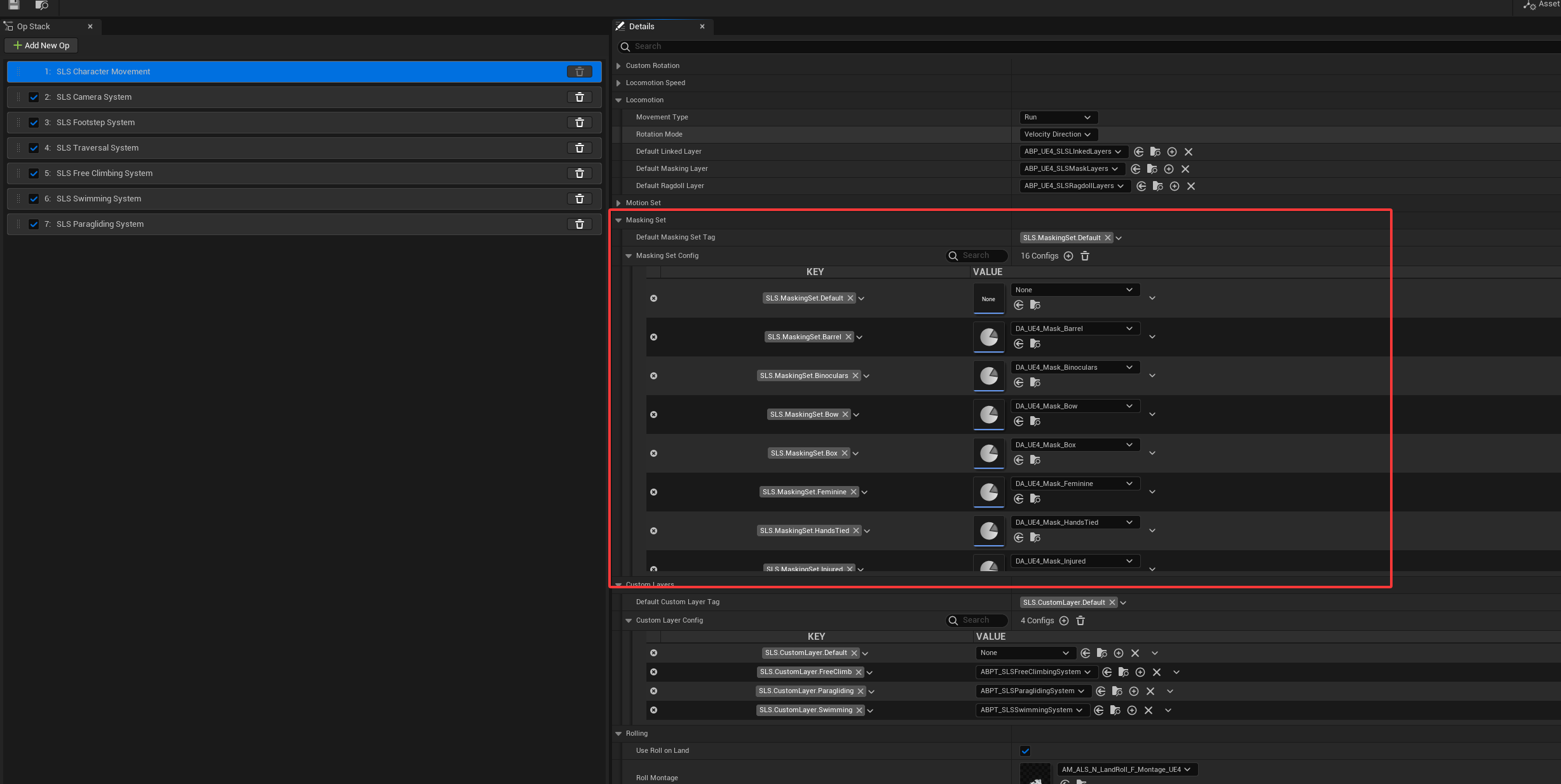
Masking Set
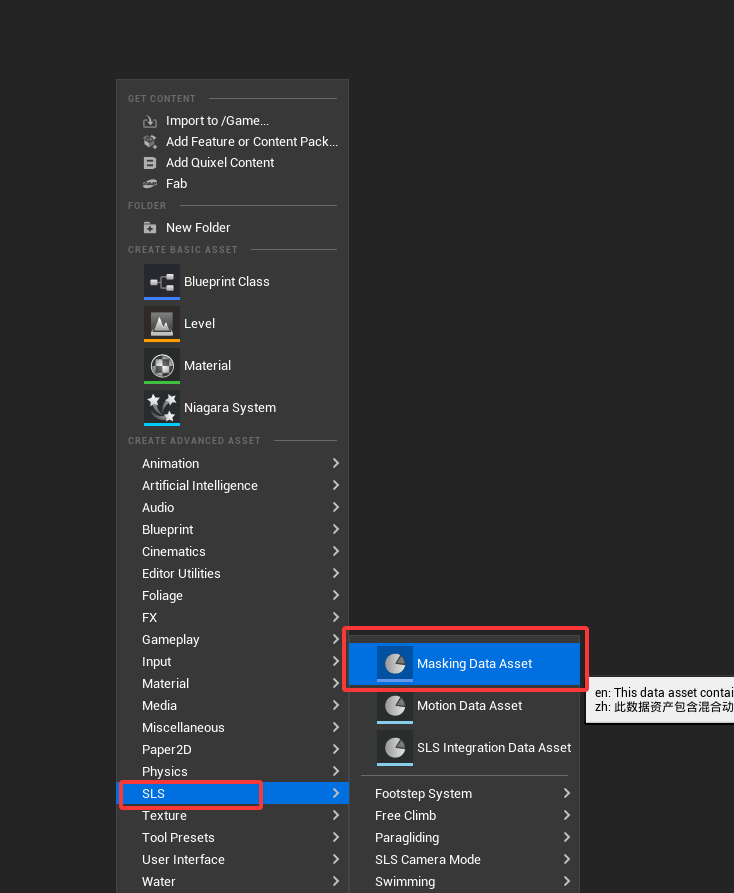
To create an overlay data asset, right-click in the Content Browser and select SLS/Masking Data Asset to create it.
After creating a new one and opening the blueprint, you will get the following interface, which is very intuitive and you can quickly know what you need:
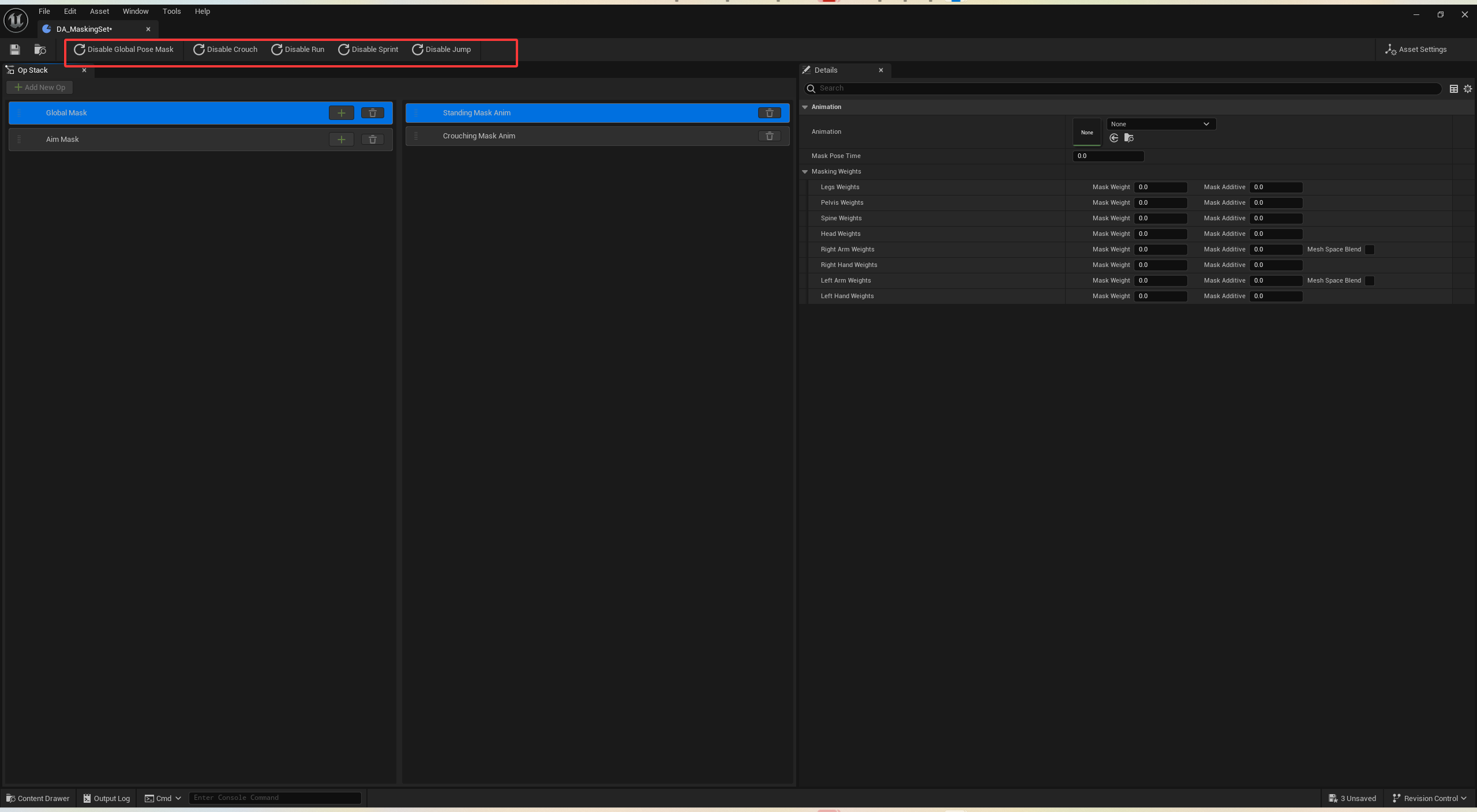
In the red-boxed section, you can modify the configuration: disable the deprecation of the global pose (the default state is global pose), and switch whether to use the mask for superimposition on other motion types. There are two configurations:
Global Mask, which uses an animation pose superimposed on an existing motion.
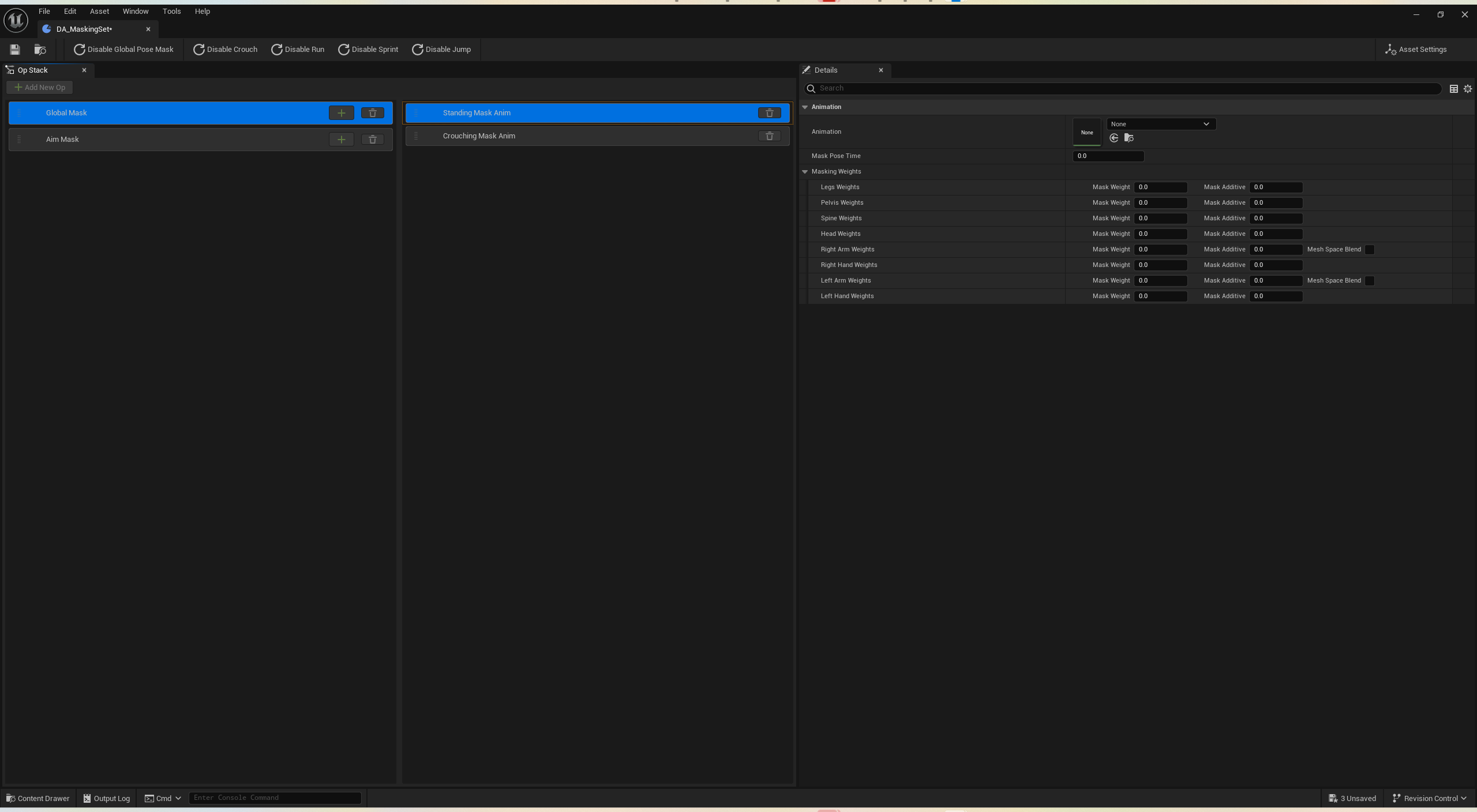
Hierarchical Mask, using different postures to superimpose various movements.
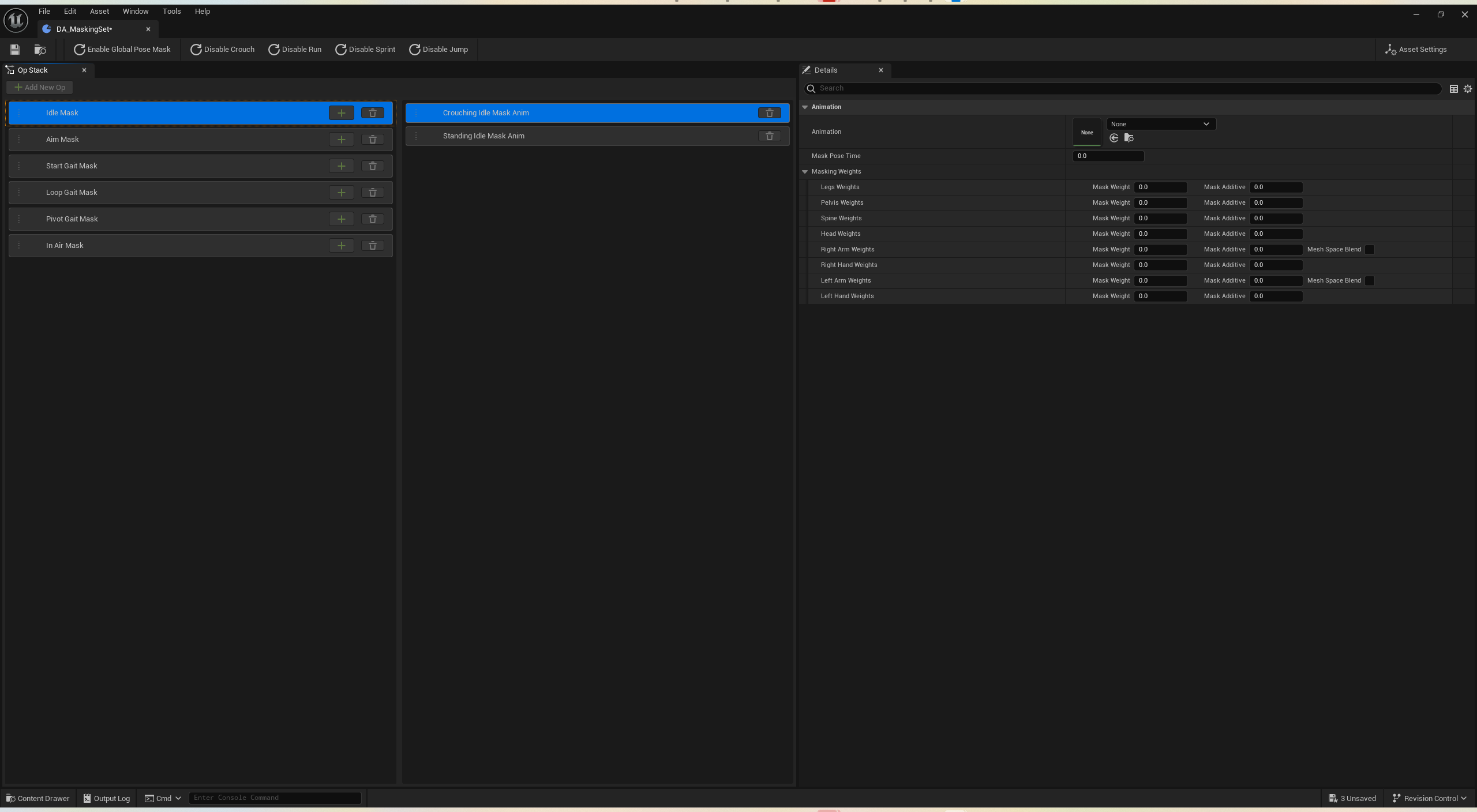
In the details panel on the right:
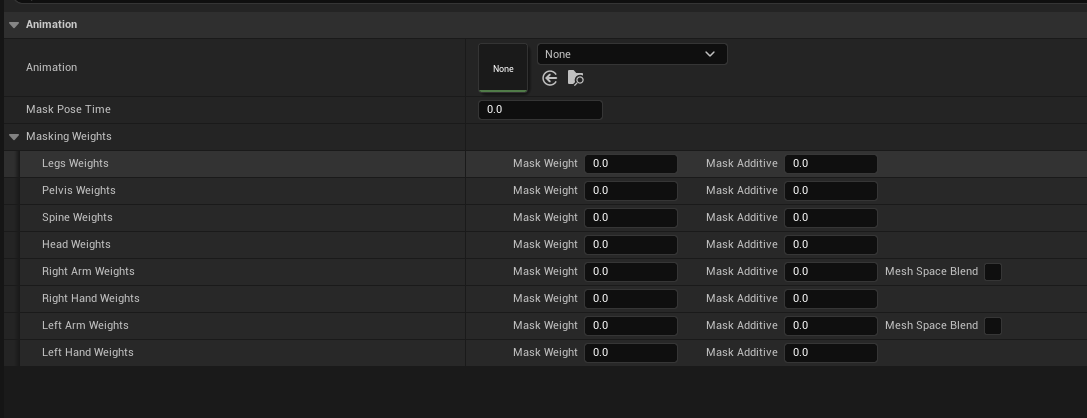
Animation represents the pose you want to superimpose. Mask Pose Time represents the time in the animation at which you want to use the superimposed pose. The weights below are floating-point values between 0 and 1. You can see these eight items correspond to the eight blend masks defined in this skeleton, describing various parts of the body.
Mask Weight: Represents the additive alpha of the animation pose.
Mask Additive: Represents the additive alpha of the Idle pose in the Motion Set.
Comments
Share your thoughts and discuss with everyone