Overview
This redirector uses the UE5.6 redirector with some modifications and processing applied to all plugin-provided versions. Therefore, it's not the same as the official UE5.6 IK redirector, but it provides the same functionality.
Features
Animation Conversion:
A few useful features require additional mention: First, animations. You can directly convert one or more animations to a target bone using the shortcut button: SLS Retarget (Converter) Animations. Note: Back up your files before converting, as the original animations will not be preserved!
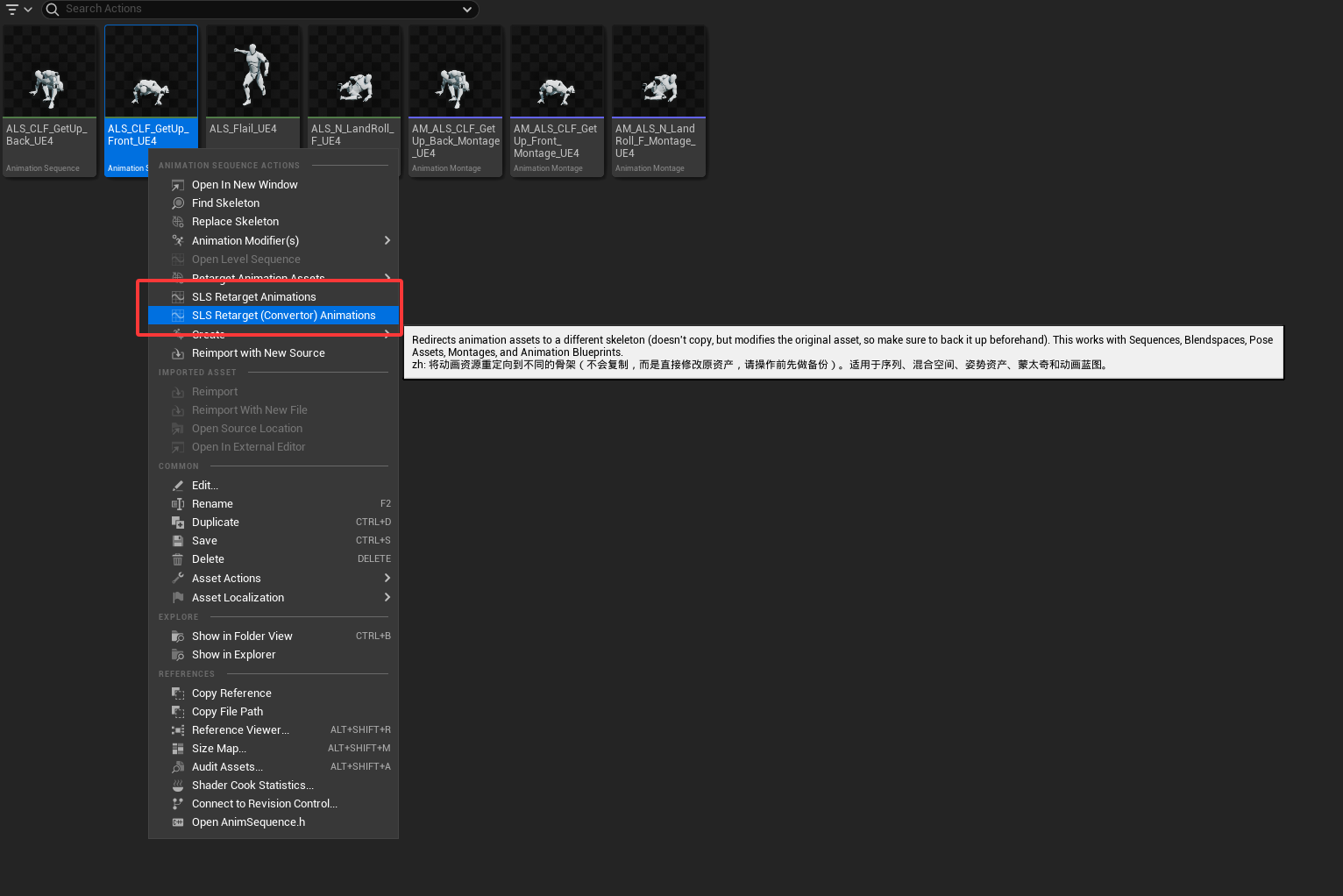
After clicking the Convert button, you will get a pop-up window like the following:
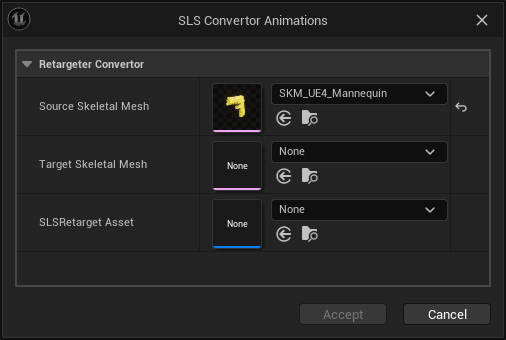
You can directly change the third redirector and it will automatically fill in the missing items.
Animation Retargeting:
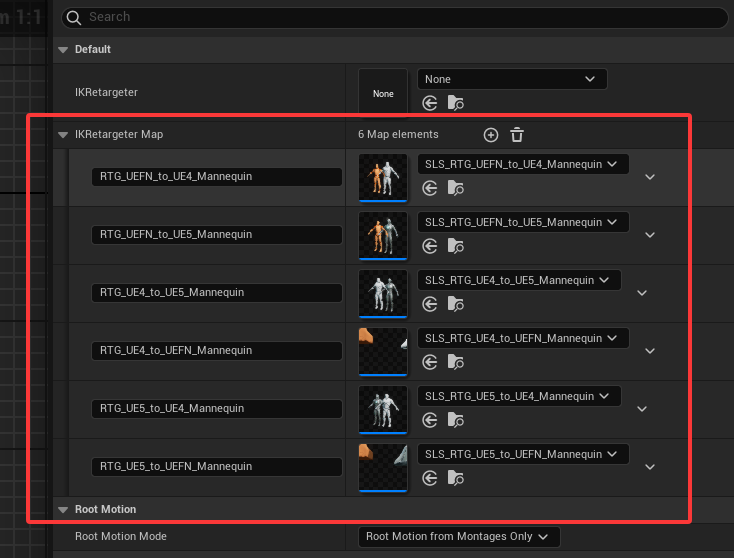
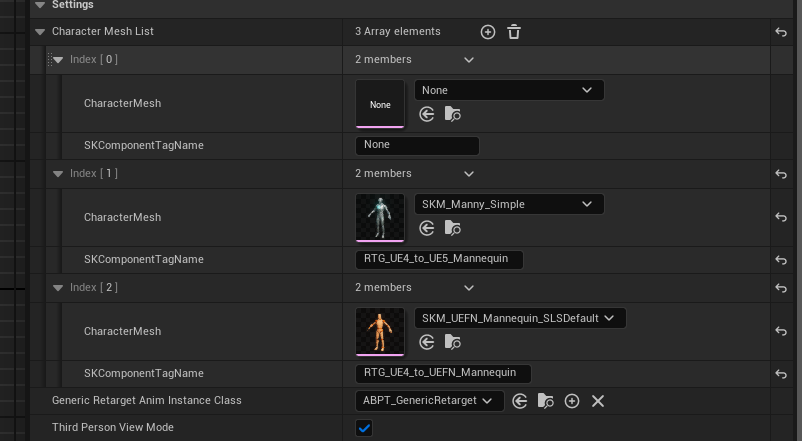
In the Integration component, you'll see two parameters: a Character Mesh List and a Generic Retarget Anim Instance Class. Using UE4's character skeleton, you can create a subclass of the Animation Blueprint (ABPT_GenericRetarget). Then, add your newly created SLS IK Retargeter to the IKRetargeter_Map and add the Key and Retarget Target Skeletal Mesh to the Character Mesh List. This will implement the retargeting functionality.
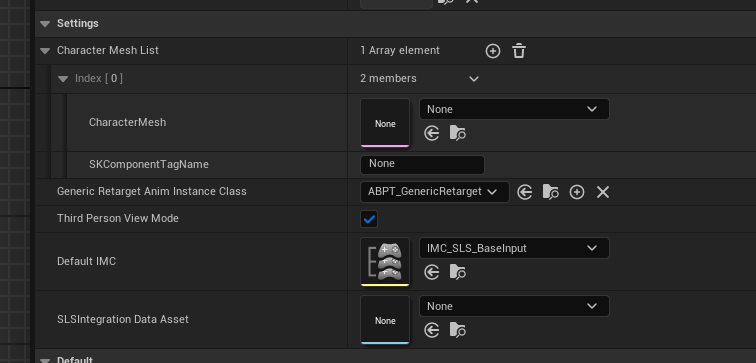
For example, the default retarget configuration in ABPT_GenericRetarget:
The first item is unpopulated by default, as it represents the default (retarget source) character class.
In the sample project, you can press the N keyboard shortcut to switch character skeletal meshes.
Holding Items
Once you've implemented the animation retargeting solution described above, you'll need to add appropriate sockets to your character's skeleton to properly hold items.
Comments
Share your thoughts and discuss with everyone