VFX Effect Configuration in V3.5
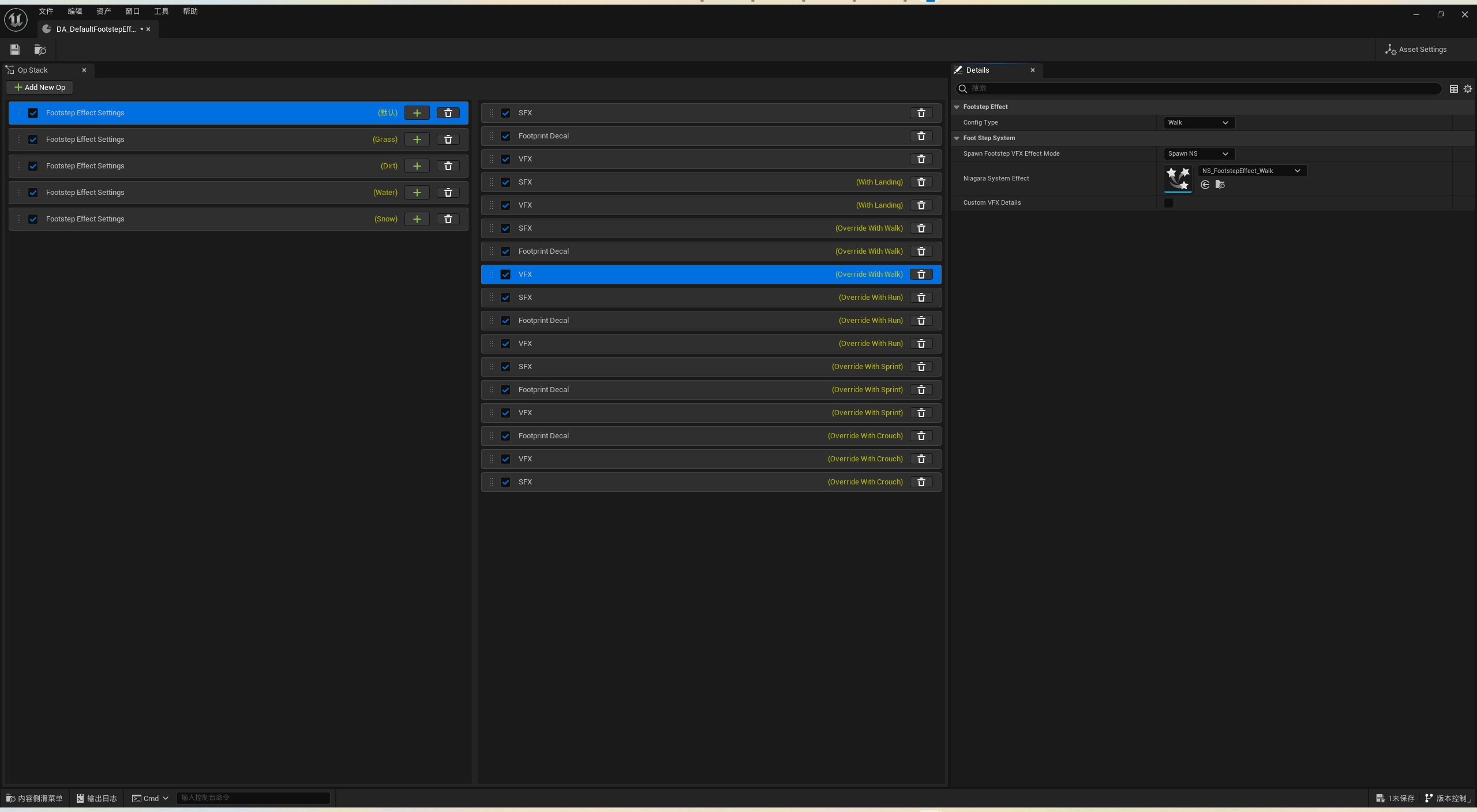
Config Type: The state type for the current character (Idle/Default, and overrides for other states: Walk, Run, Sprint, Crouch, OnLanded). If you only have one surface effect, you can keep only the default.
The system has adjusted VFX effects, using an enum to replace the previous solution of only one NS/PS effect configuration.
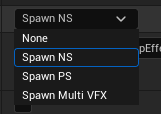
None: No VFX effect.
SpawnNS: Only one Niagara System effect.
SpawnPS: Only one Particle System effect.
Spawn MultiVFX: This is an array; you can configure any number of Niagara System and Particle System example effects.
For this structure, new custom options have been added:

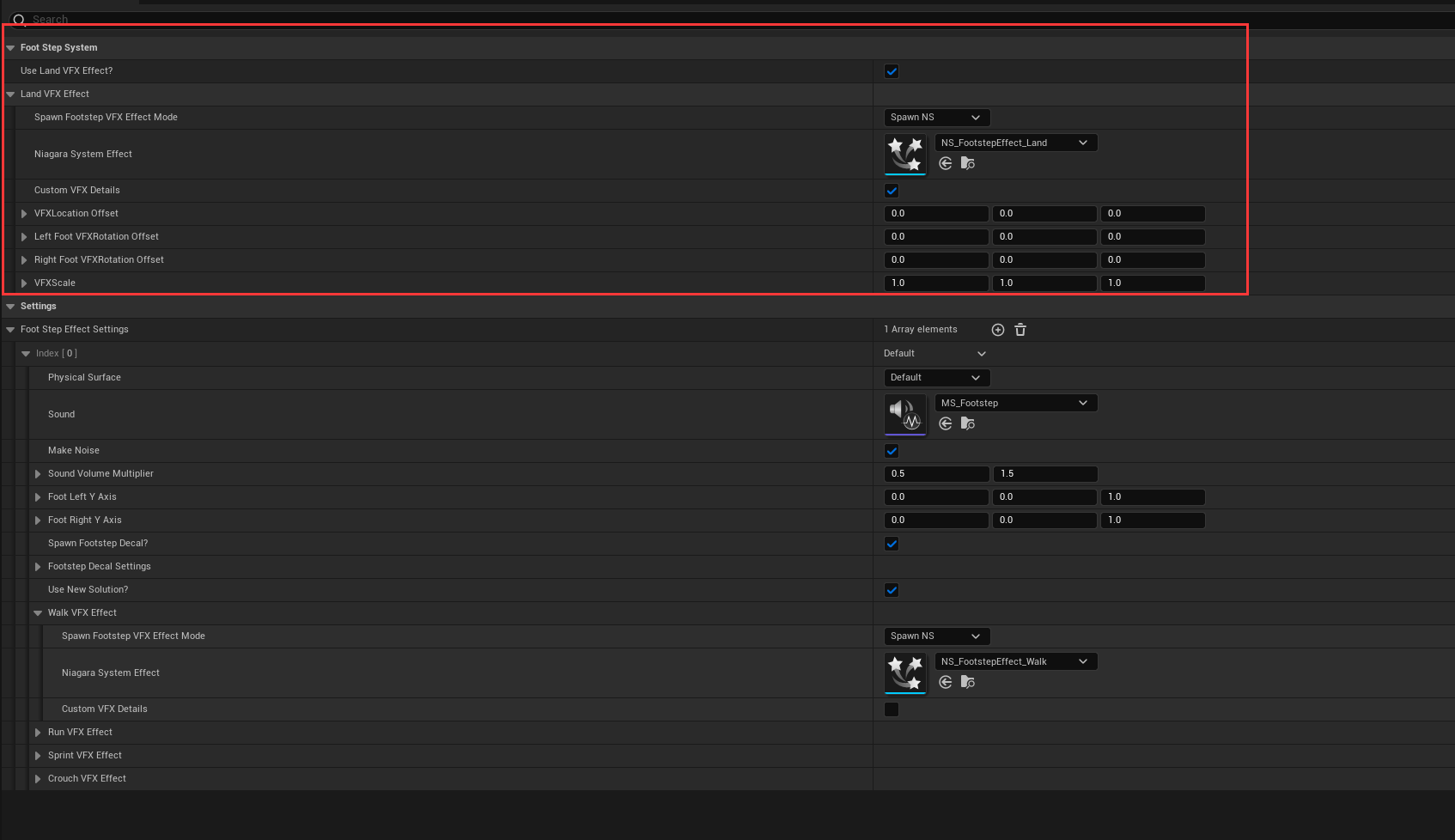
CustomVFXDetails: Check it to customize some properties of the effect.
VFX Location offset: Position offset of the VFX effect.
Left Foot VFX Rotation offset: Rotation offset of the VFX effect spawned at the left foot.
Right Foot VFX Rotation offset: Rotation offset of the VFX effect spawned at the right foot.
VFX Scale: Size scale of the spawned VFX effect; default is { 1.0, 1.0, 1.0 }.
Legacy content (will be deprecated in future versions):
Changes in V3
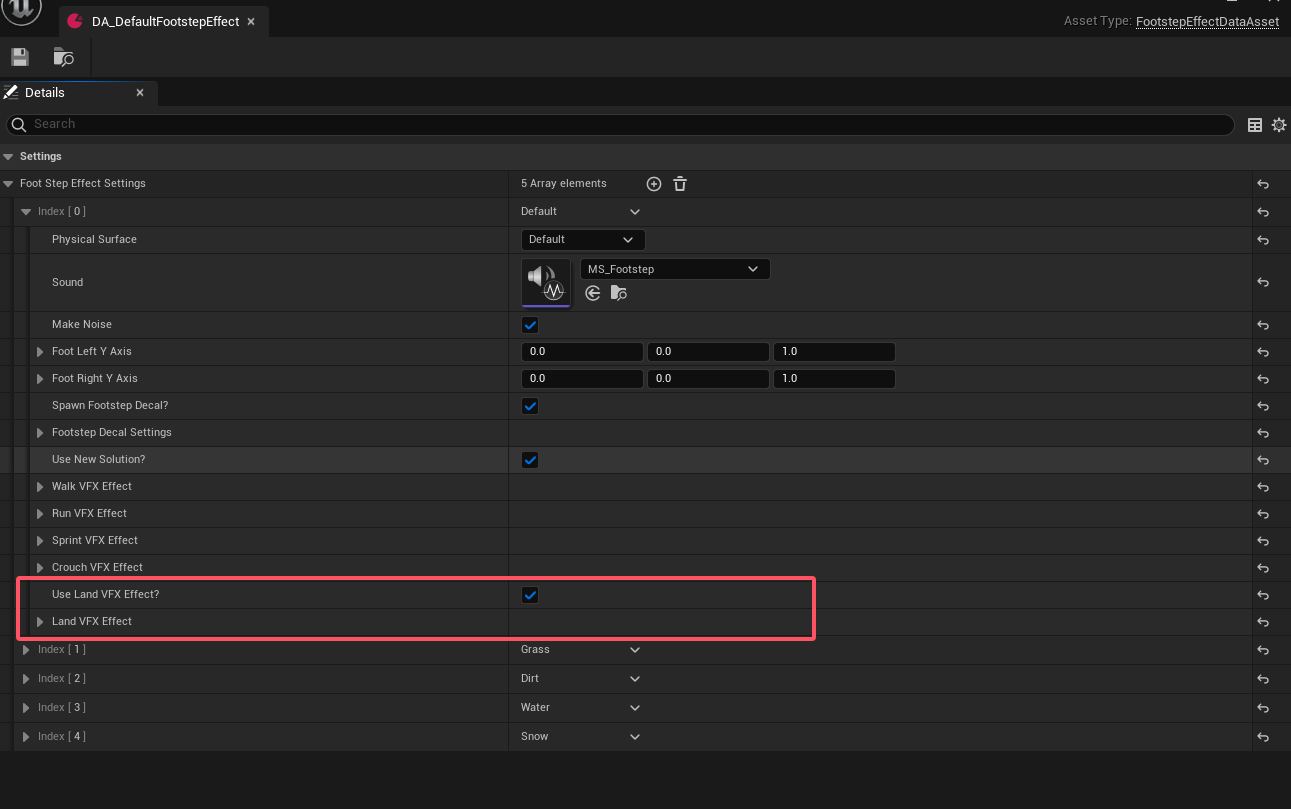
Move the LandVFX configuration here, because each ground surface should have different effects.
Changes between V2 and V1
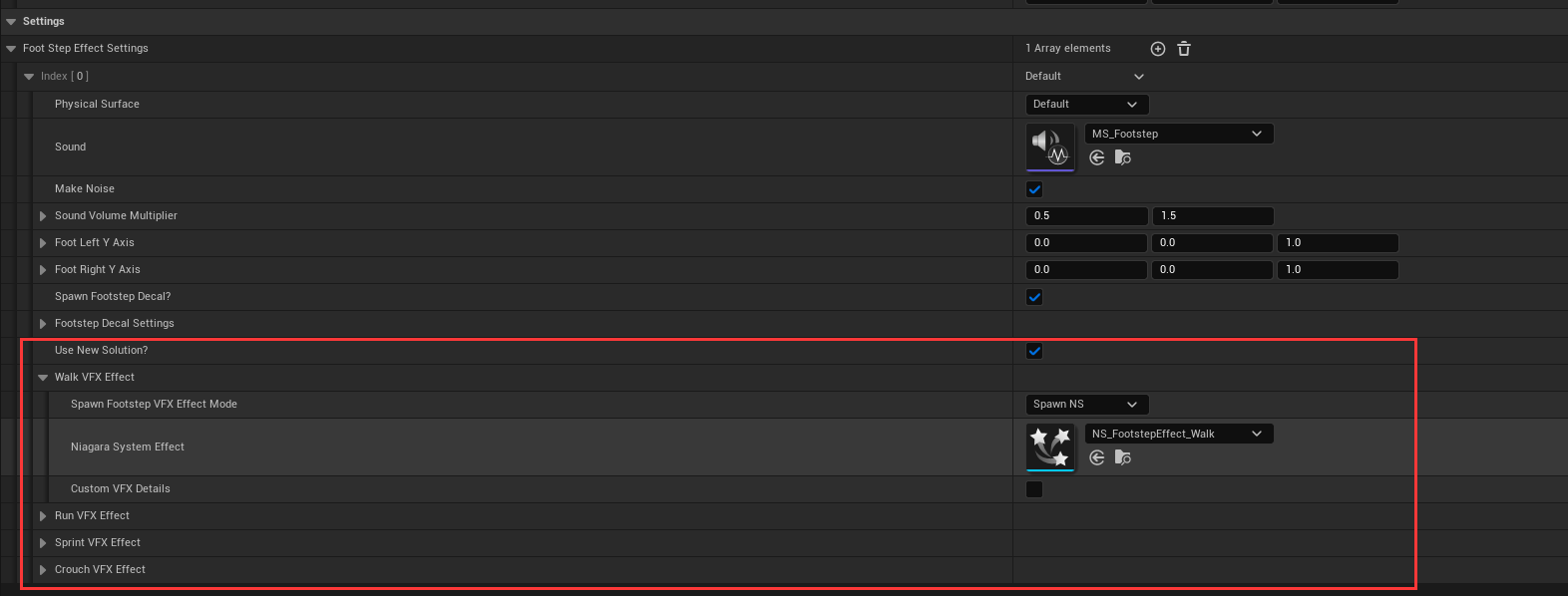
In V1 (UseNewSolution? is false), you only need to select NS/PS; all locomotion states will use one effect.
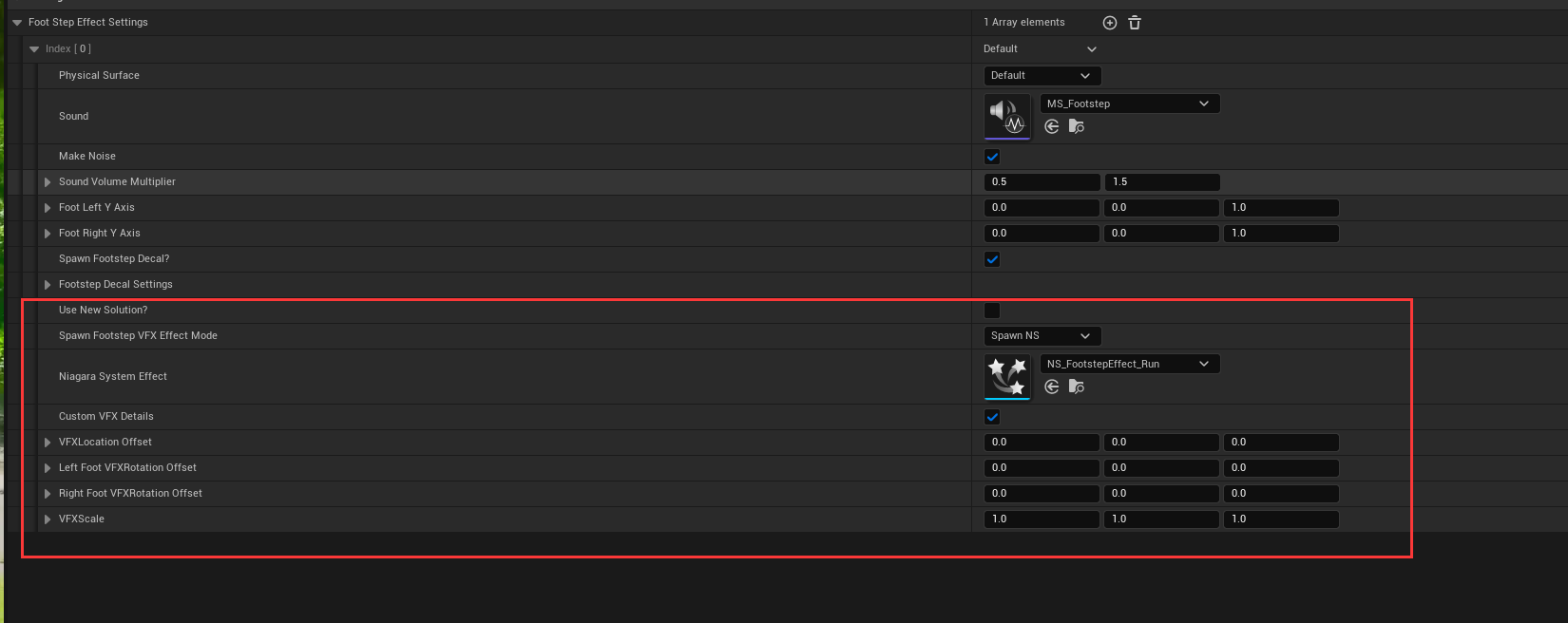
In V2 (UseNewSolution? is true), you can configure effects for four locomotion types (walk, Run, Sprint, Crouch).
In the V2 Data Asset, you can configure the effect spawned OnLanded: (this has already been created in the system; no additional function calls are needed)
Comments
Share your thoughts and discuss with everyone