You can create it in the right-click menu (Custom Footstep Effect):
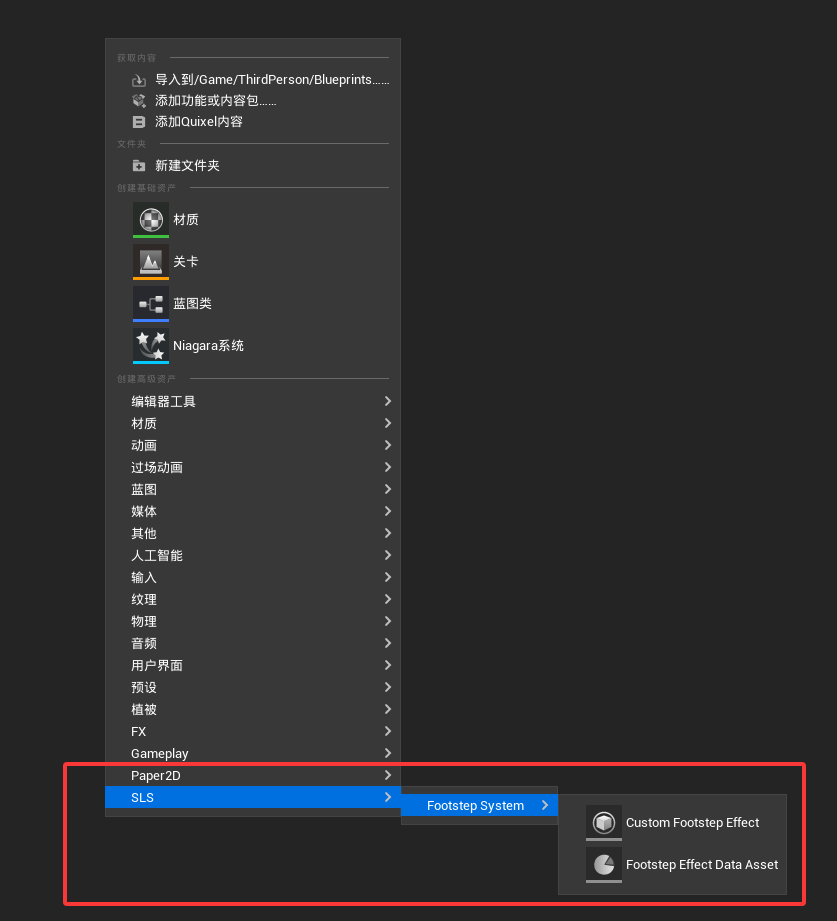
This is a UObject Blueprint object
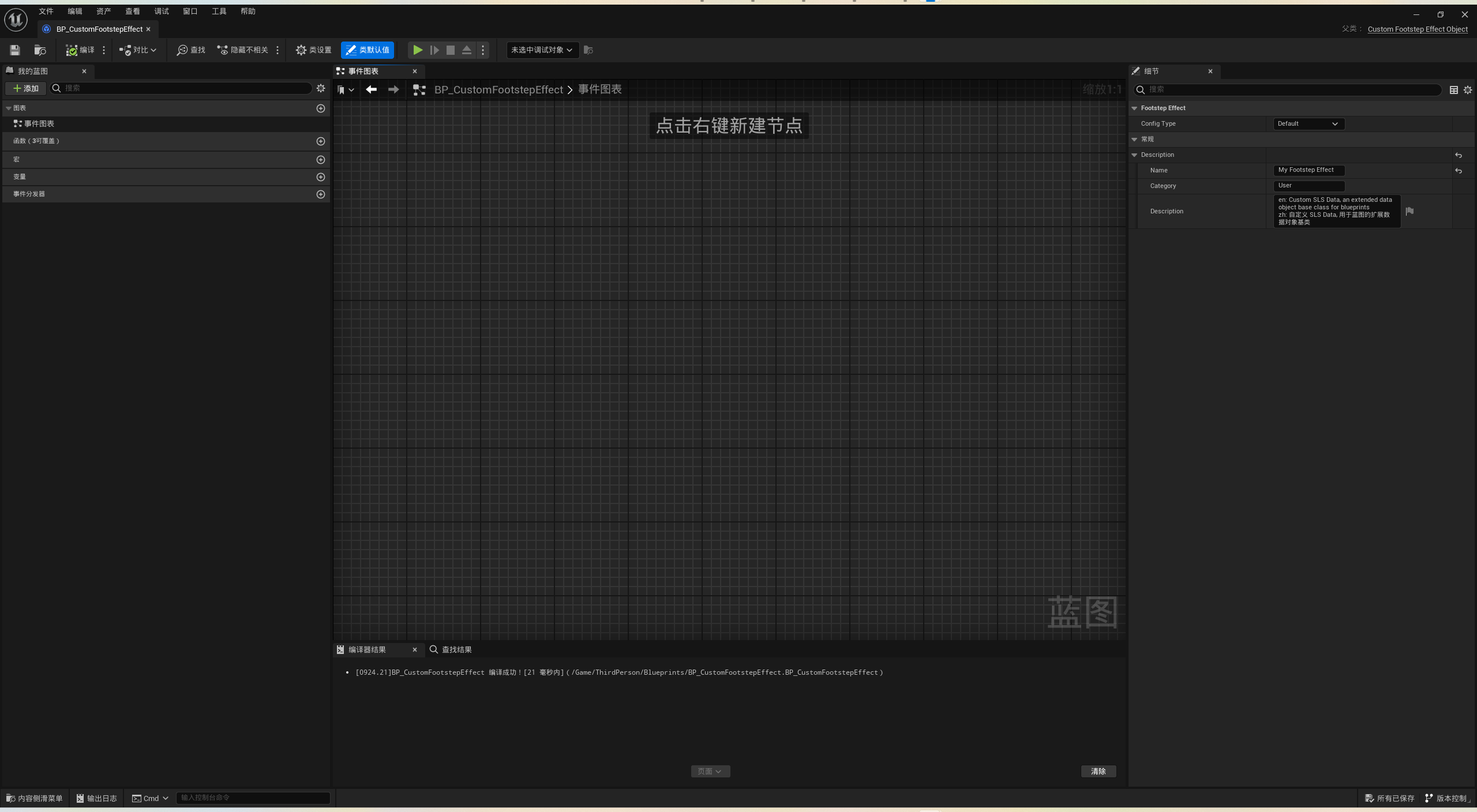
In the Details Panel on the right, you can edit the default configuration type, display name, category, description, and other content. This object has three overloaded functions:
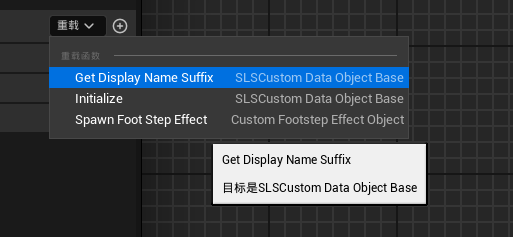
Spawn Foot Step Effect: This is the function you need to care about most; it is executed when the effect is triggered.
Initialize: Initialization function (may not be needed).
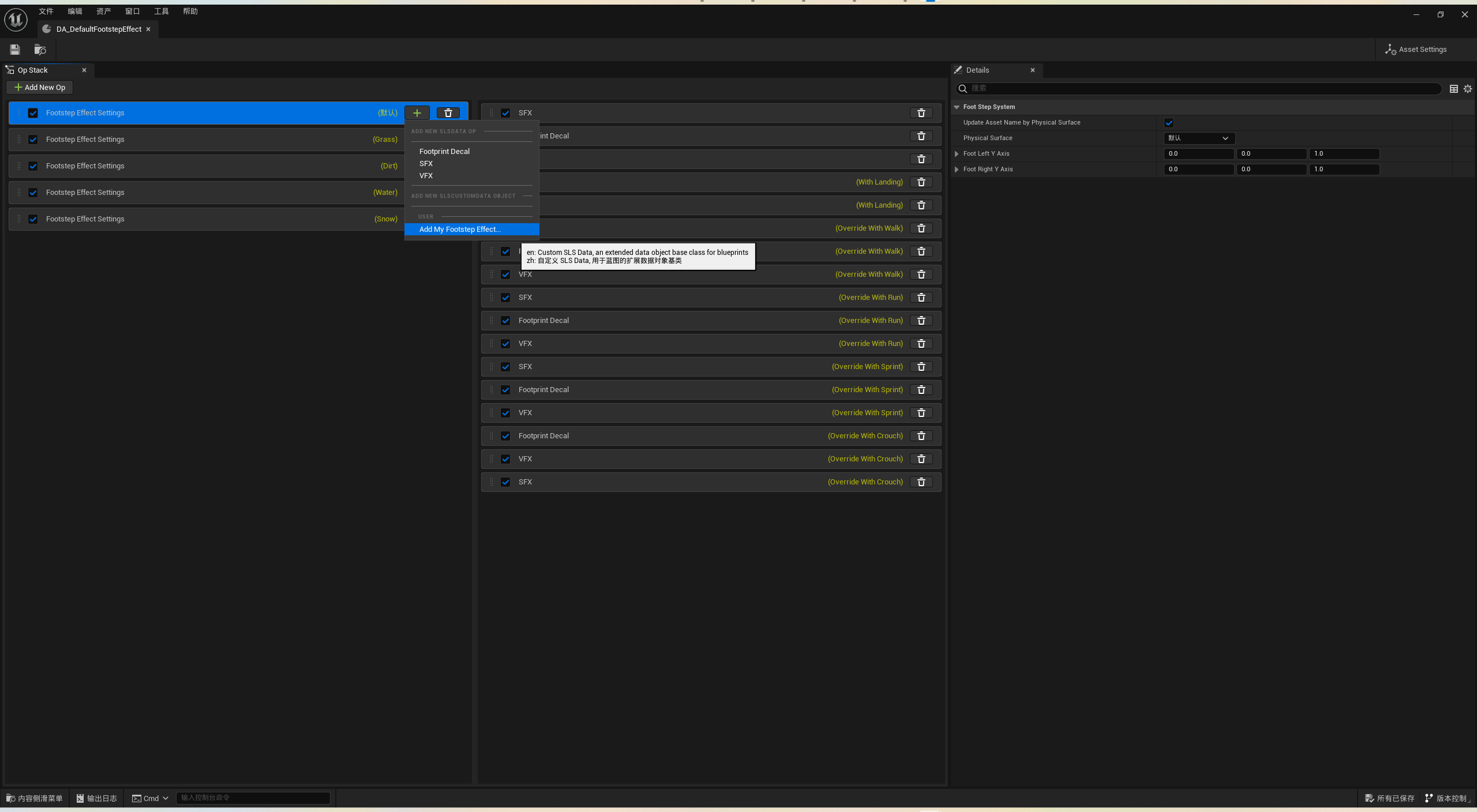
Get Display Name Suffix: The content displayed in the Data Asset editor (the yellow text part).
After you finish editing, you can add it here:
Comments
Share your thoughts and discuss with everyone