This is implemented based on EventListener custom events. The system has two event listening methods; this is the first listening method and also the recommended one, because it is clearer. Another important reason is that it is event-based, so it supports network replication! If you want to learn about the second method, please go to
1. Notes
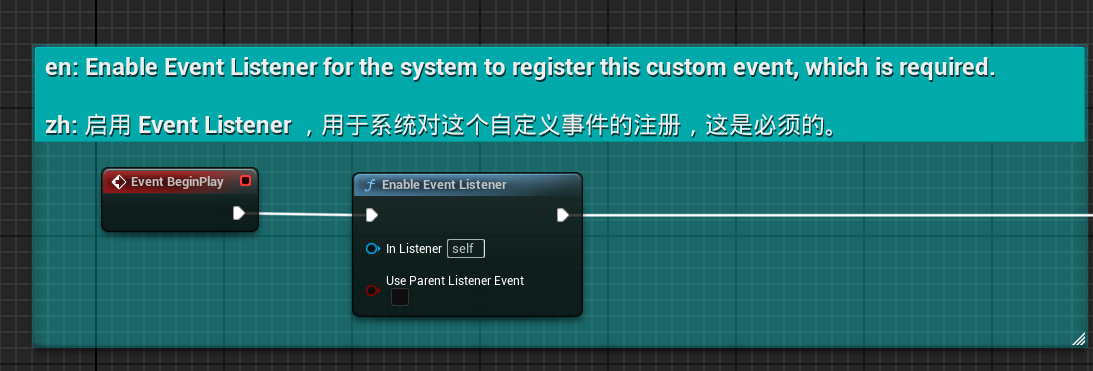
To use EventListener, you must first call EnableEventListener.
2. Interactable Messages
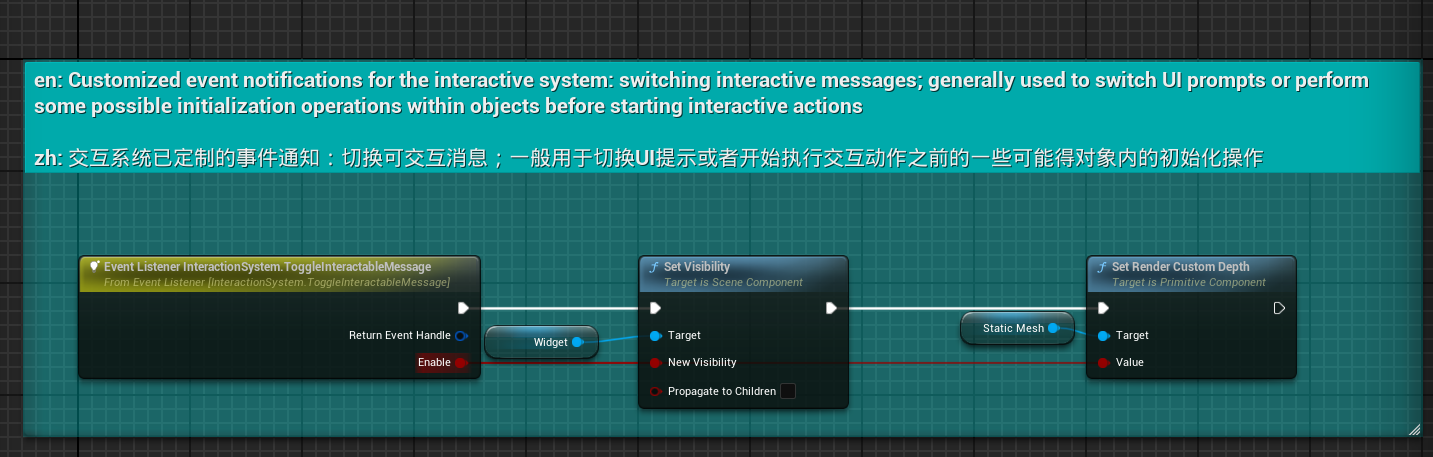
EventTag: (TagName="InteractionSystem.ToggleInteractableMessage") A customized event notification from the interaction system: toggles interactable messages; generally used to toggle UI prompts or to perform possible initialization operations within the object before starting an interaction action.
3. Start Interaction Event
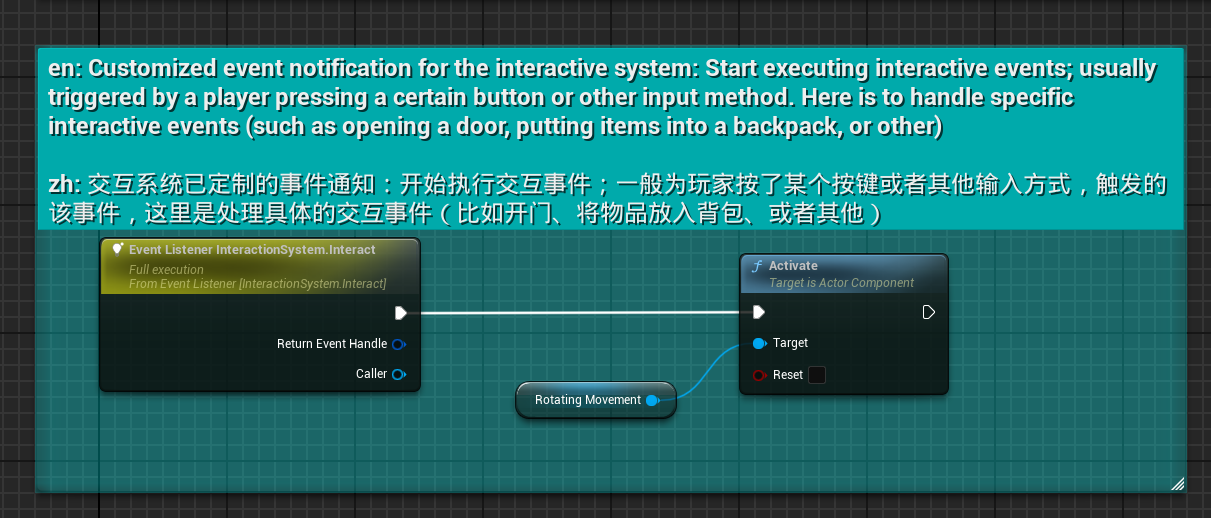
EventTag: (TagName="InteractionSystem.Interact") A customized event notification from the interaction system: starts executing an interaction event; generally triggered when the player presses a key or uses another input method. This is where the specific interaction event is handled (for example, opening a door, putting an item into a backpack, or other actions).
4. End Interaction Event
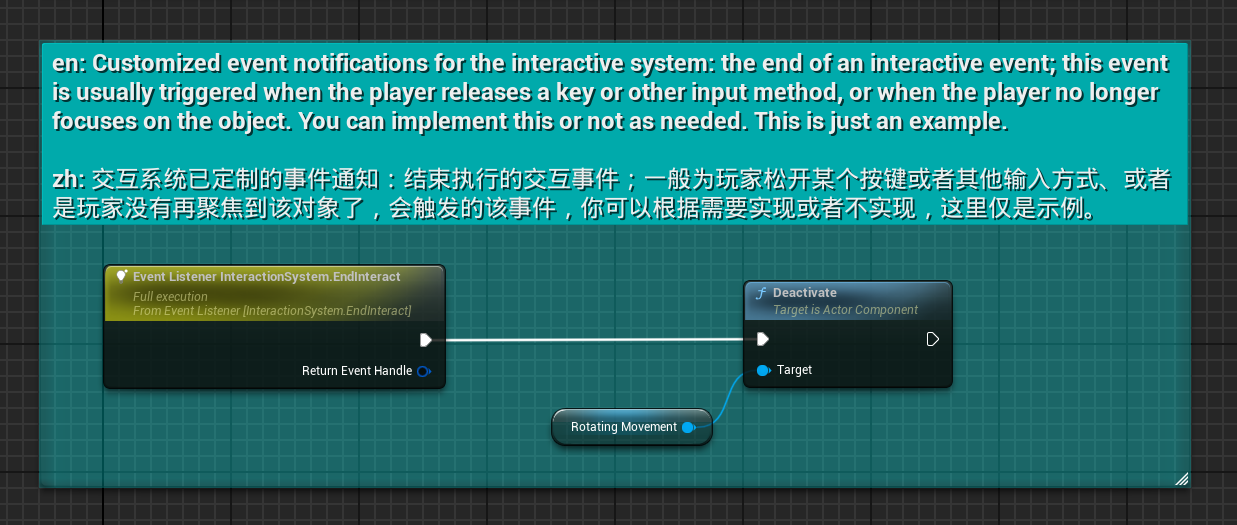
EventTag: (TagName="InteractionSystem.EndInteract") A customized event notification from the interaction system: ends the interaction event being executed; generally triggered when the player releases a key or uses another input method, or when the player is no longer focused on the object. You can implement it or not as needed; this is only an example.
Comments
Share your thoughts and discuss with everyone