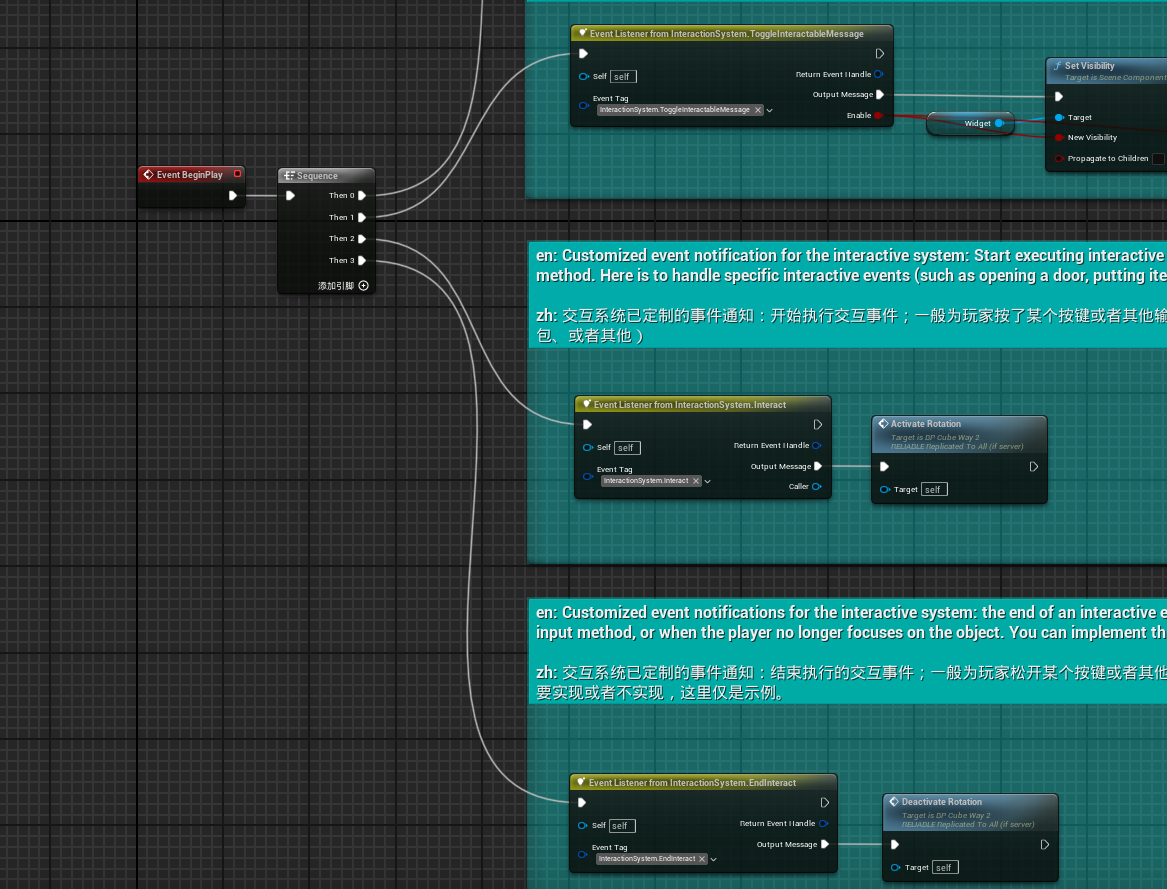
This is also implemented based on EventListener custom events. This is the second way to listen for events. Unlike the first method, which is event-based and requires enabling the event listener (EnableEventListener) in BeginPlay, this method listens through a function. Therefore, it does not support replication, and you need additional code to implement network replication. It automatically registers on first execution without other helper functions. The general style is as follows:
1. Interactable Message
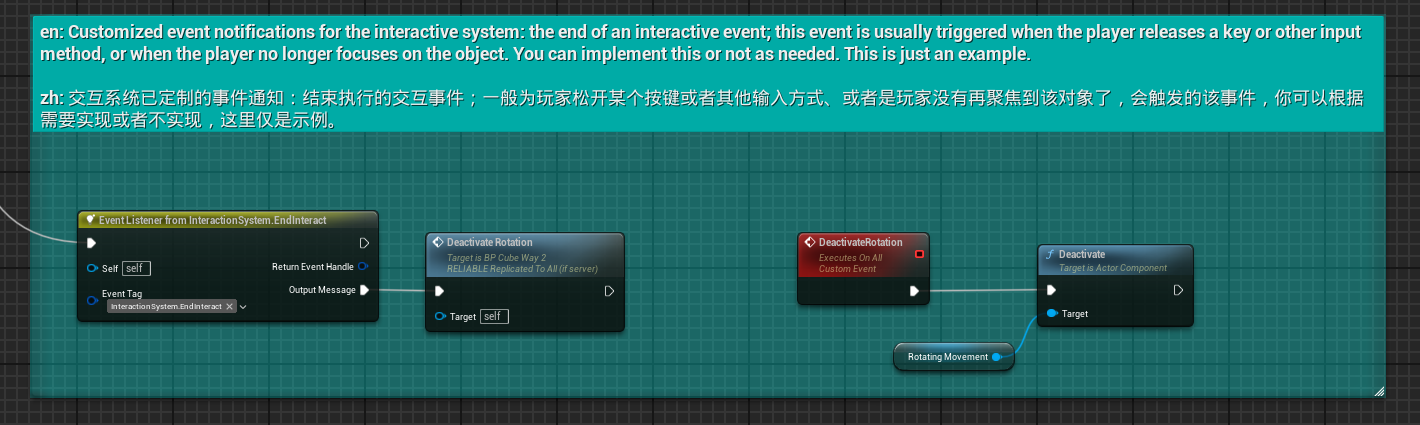
EventTag: (TagName="InteractionSystem.ToggleInteractableMessage") Custom event notification of the Interaction System: toggle the interactable message; generally used to toggle UI prompts or perform some initialization operations that may be needed within the object before starting an interaction action.
3. Start Interaction Event
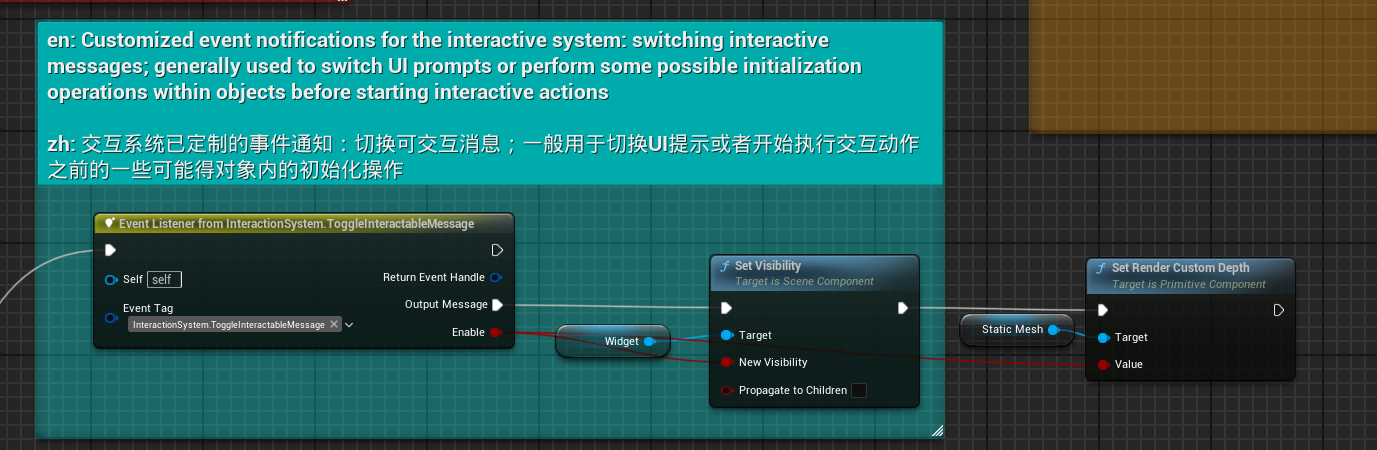
EventTag: (TagName="InteractionSystem.Interact") Custom event notification of the Interaction System: start executing the interaction event; generally, this event is triggered when the player presses a key or uses another input method. This handles the specific interaction event (such as opening a door, putting an item into the Inventory, or others).
4. End Interaction Event
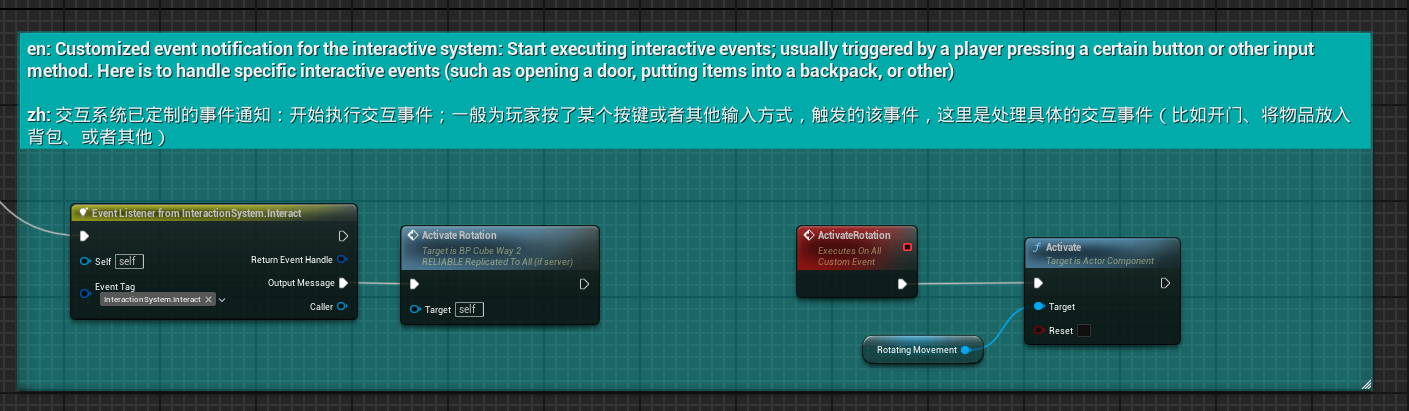
EventTag: (TagName="InteractionSystem.EndInteract") Custom event notification of the Interaction System: end executing the interaction event; generally, this event is triggered when the player releases a key or uses another input method, or when the player is no longer focusing on the object. You can implement it or not as needed; this is only an example.
Comments
Share your thoughts and discuss with everyone