C++定义EventTag(V3.0版本中更新)
要在你的代码模块中使用他们,你首先需要做的是启用插件,并在你的.Build.cs文件中添加 “EventTag”, “EventSystem”
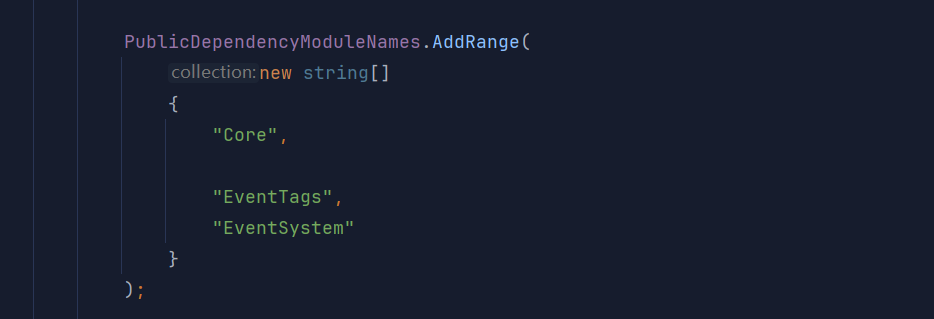
以下代码测试内容都可以在 TestEventTagActor.h 与 TestEventTagActor.cpp 中找到
1. C++的.h文件中对自定义Event的声明
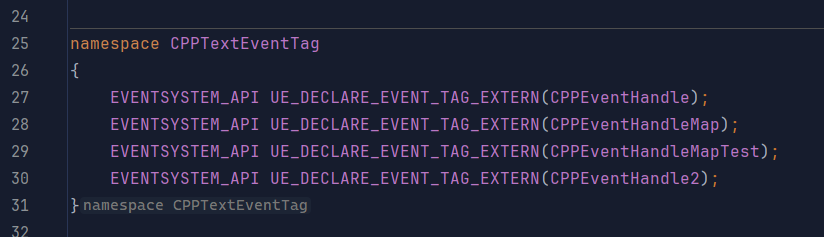
2. C++的.cpp文件中的定义已声明的EventTag
CPPEventHandle (C++定义并绑定监听、蓝图中绑定监听,在C++与蓝图中测试通知,测试通过)

CPPEventHandle2 (C++中定义以及蓝图中测试各种参数类型(包括数组与集合类型))
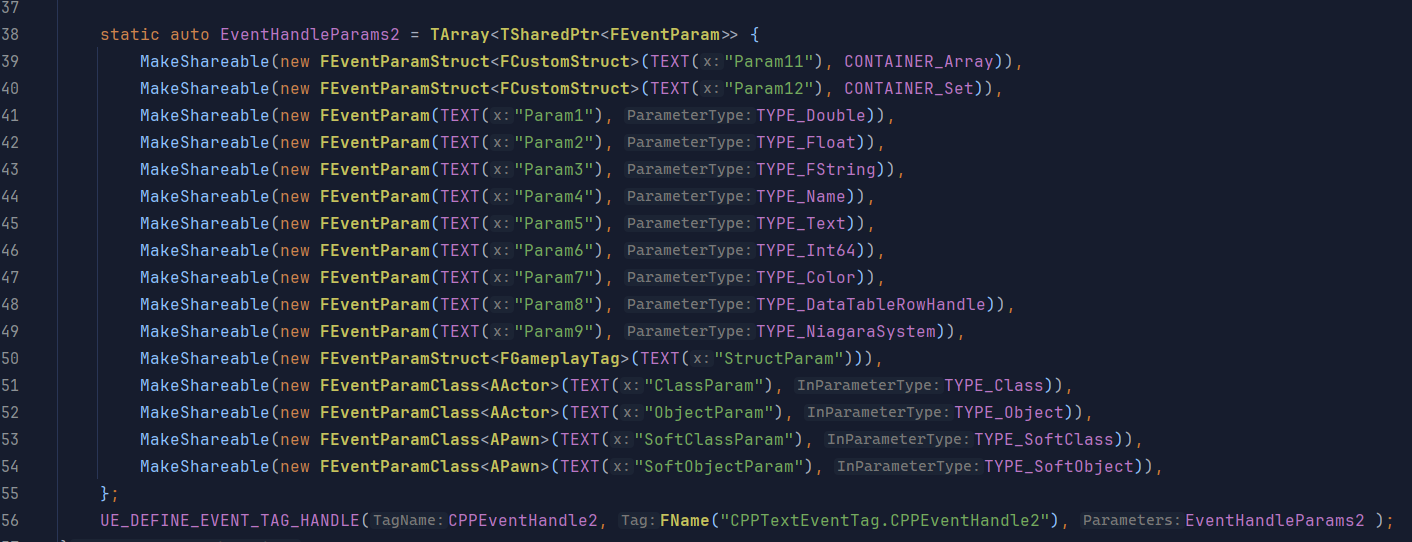
CPPEventHandleMap (测试在C++中对所有Map类型的定义)

CPPEventHandleMapTest (在C++中定义Map类型的参数EventTag,并在C++和蓝图中都进行事件监听与事件通知,测试有效性)

3. C++中使用定义好的EventTag来监听与通知
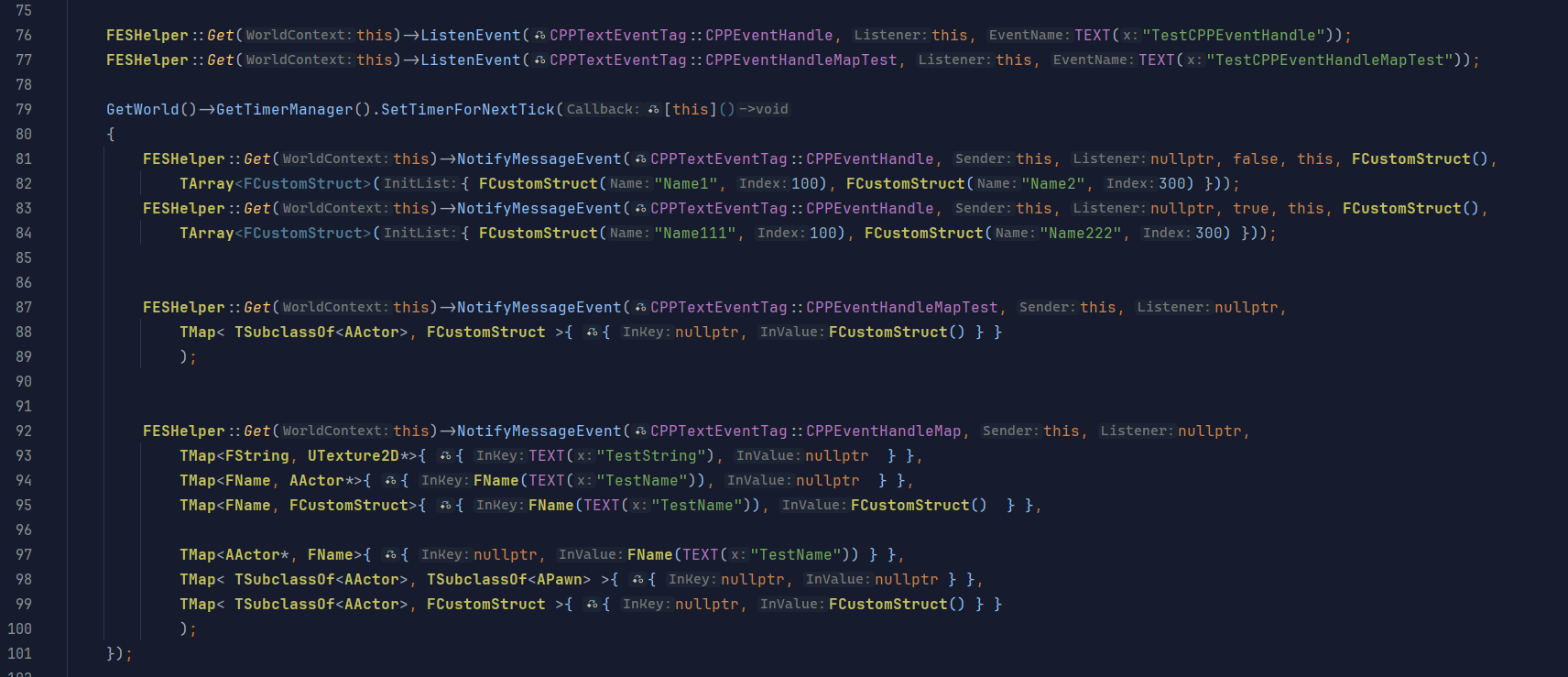
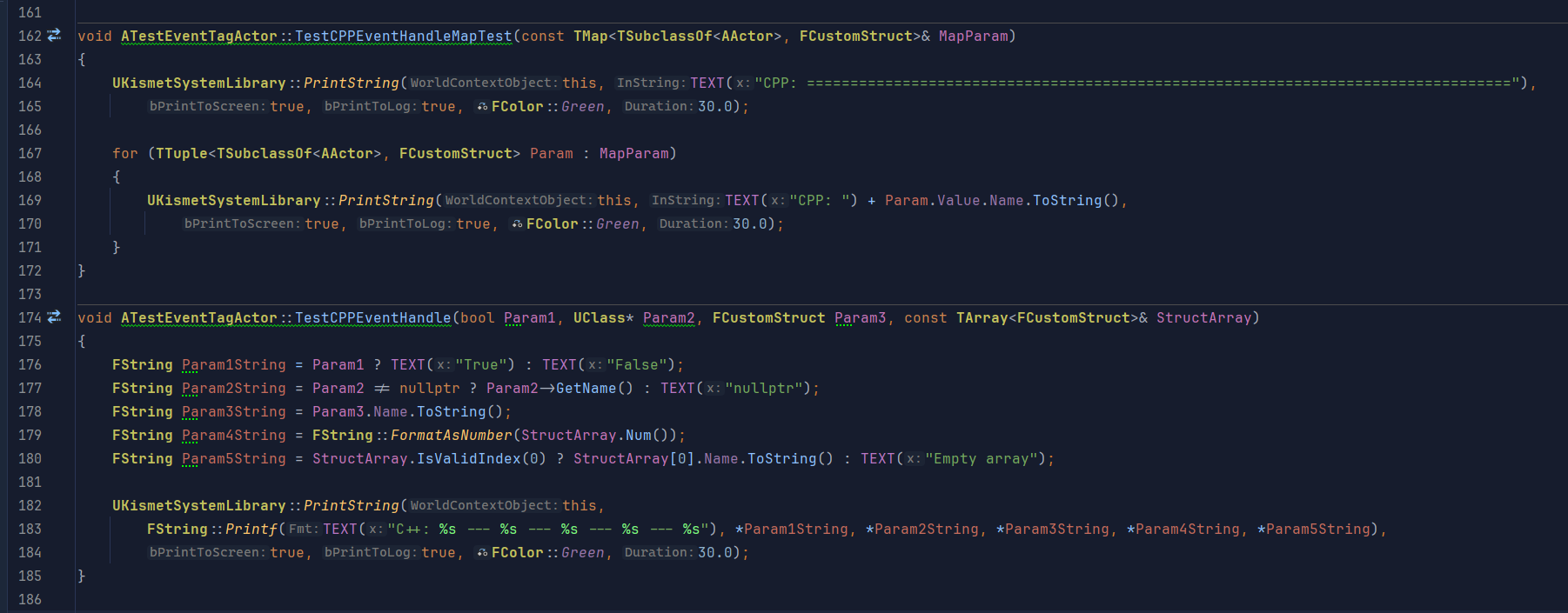
注意:TestCPPEventHandleMapTest与TestCPPEventHandle需要使用 UFUNCTION() 标记。
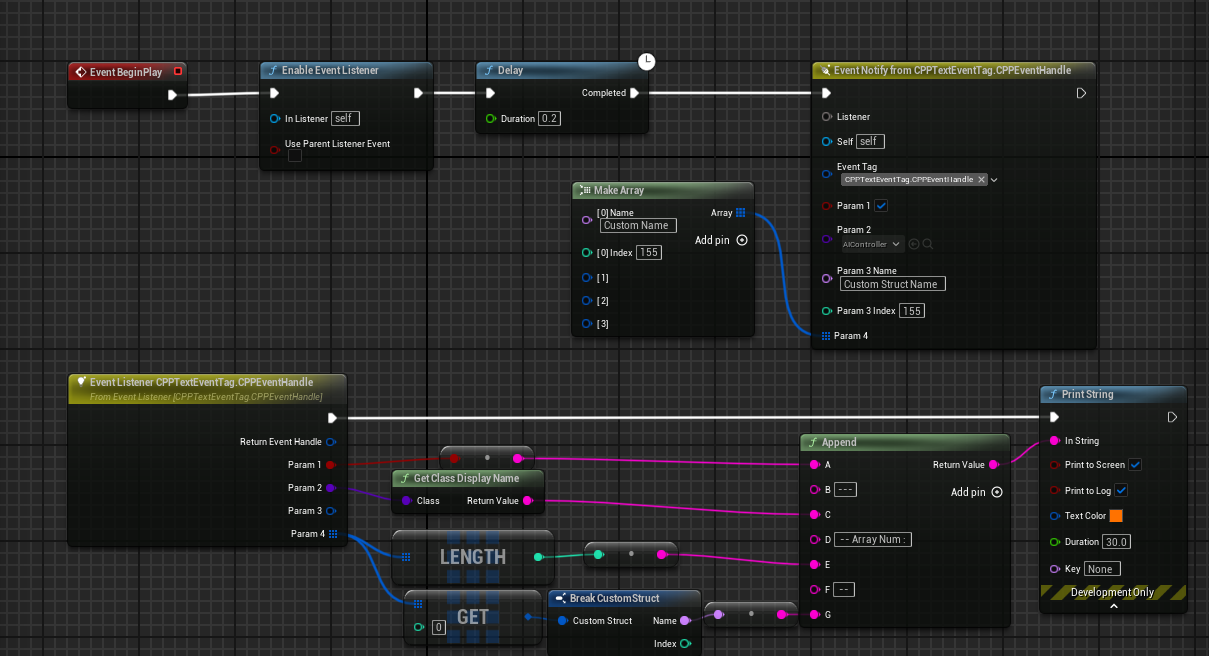
4. 蓝图中使用定义好的EventTag来监听与通知
方法一:
方法二:
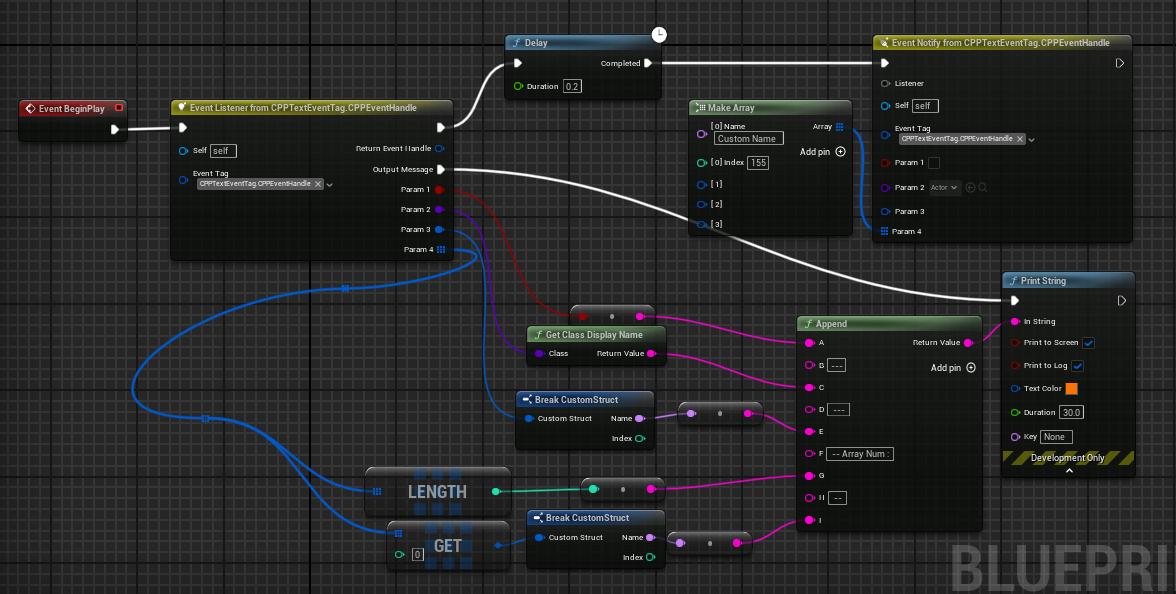
想了解蓝图中的具体使用,请参考文档 2. 在蓝图中使用
使用字符串通知
			void ATestEventTagActor::BeginPlay()
\{
	Super::BeginPlay();

	// 监听事件
	FEventTagHandle Handle = FESHelper::Get(this)->ListenEvent(TEXT("TestNotify.String"), this, TEXT("TestNotifyString"));
	// 通知已监听的对象
	FESHelper::Get(this)->NotifyMessageEvent(TEXT("TestNotify.String"), this, nullptr, FString(TEXT("Notification Event")), 111);
	// 取消监听事件
	FESHelper::Get(this)->UnListenEvent(Handle);
\}

// ListenEvent的第三个参数对应此函数,这个函数必须使用UFUNCTION()标记
void ATestEventTagActor::TestNotifyString(FString String, int32 Int)
\{
	UKismetSystemLibrary::PrintString(this, String, true, true, FColor::Green, 30.0);
\}
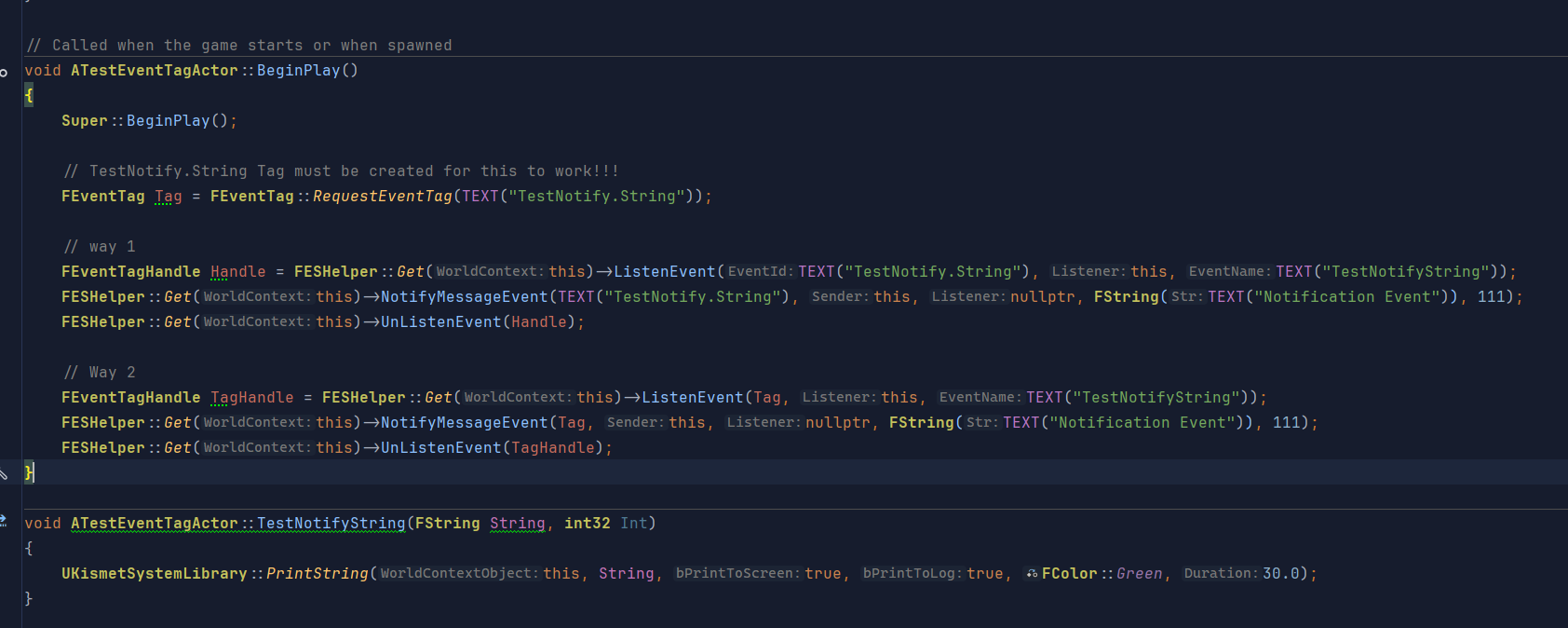
使用EventTag通知
			void ATestEventTagActor::BeginPlay()
\{
	Super::BeginPlay();

	// TestNotify.String Tag must be created for this to work!!!
	FEventTag Tag = FEventTag::RequestEventTag(TEXT("TestNotify.String"));

	// 监听事件
	FEventTagHandle TagHandle = FESHelper::Get(this)->ListenEvent(Tag, this, TEXT("TestNotifyString"));
	FESHelper::Get(this)->NotifyMessageEvent(Tag, this, nullptr, FString(TEXT("Notification Event")), 111);
	FESHelper::Get(this)->UnListenEvent(TagHandle);
\}


// ListenEvent的第三个参数对应此函数,这个函数必须使用UFUNCTION()标记
void ATestEventTagActor::TestNotifyString(FString String, int32 Int)
\{
	UKismetSystemLibrary::PrintString(this, String, true, true, FColor::Green, 30.0);
\}
C++定义EventTag(V2.5版本中更新(即将弃用))
1. C++的.h文件中对自定义Event的声明
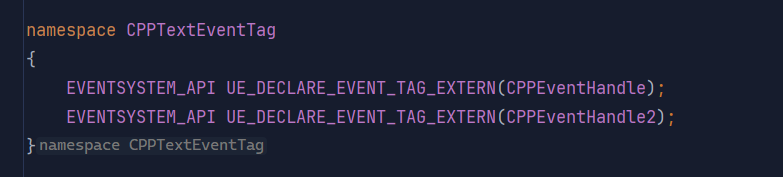
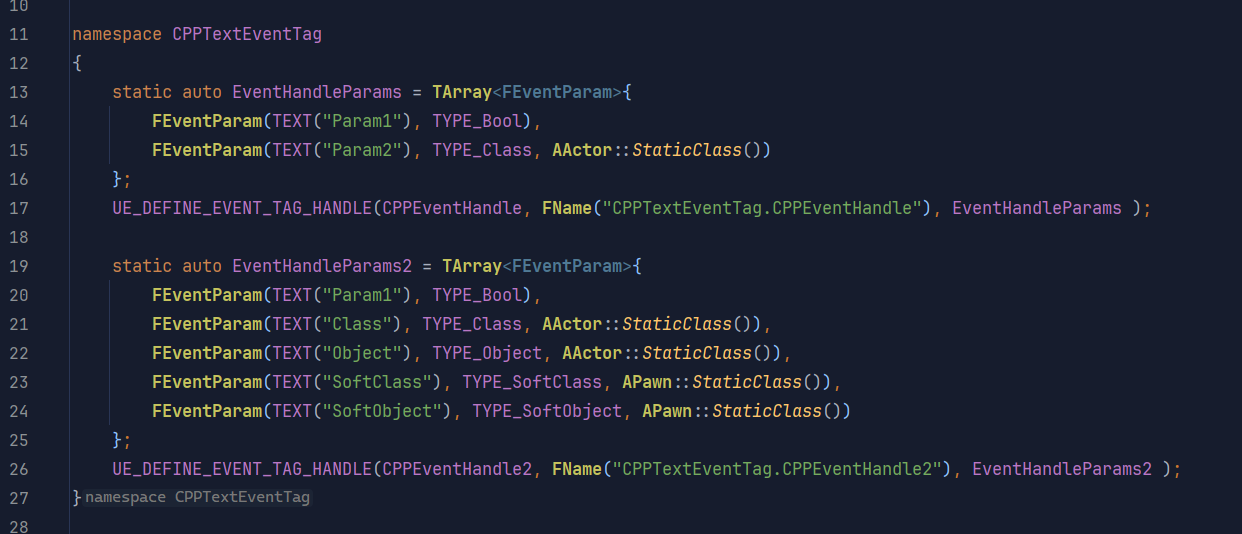
2. C++的.cpp文件中的定义已声明的EventTag
3. C++中使用定义好的EventTag来监听与通知


注意:TestCPPEventHandle需要使用 UFUNCTION() 标记。
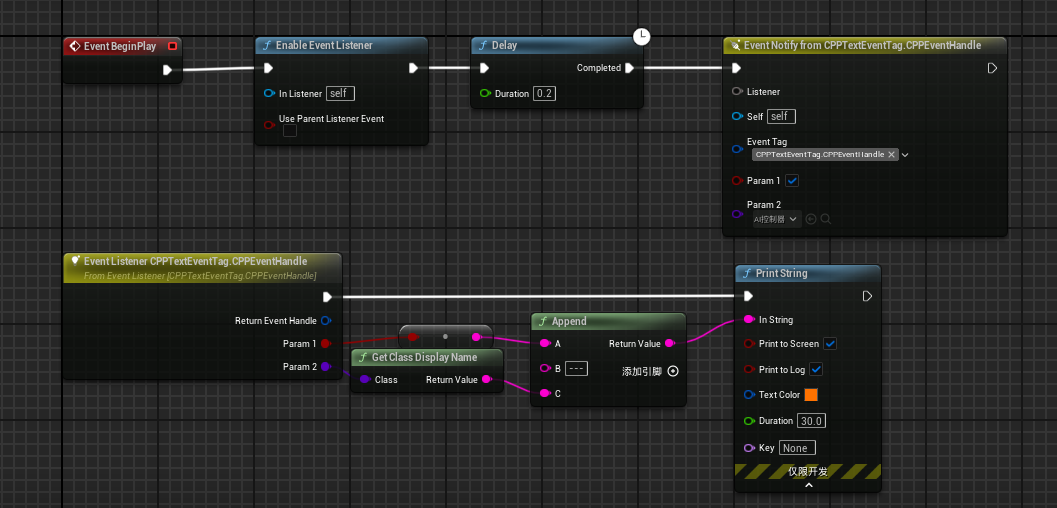
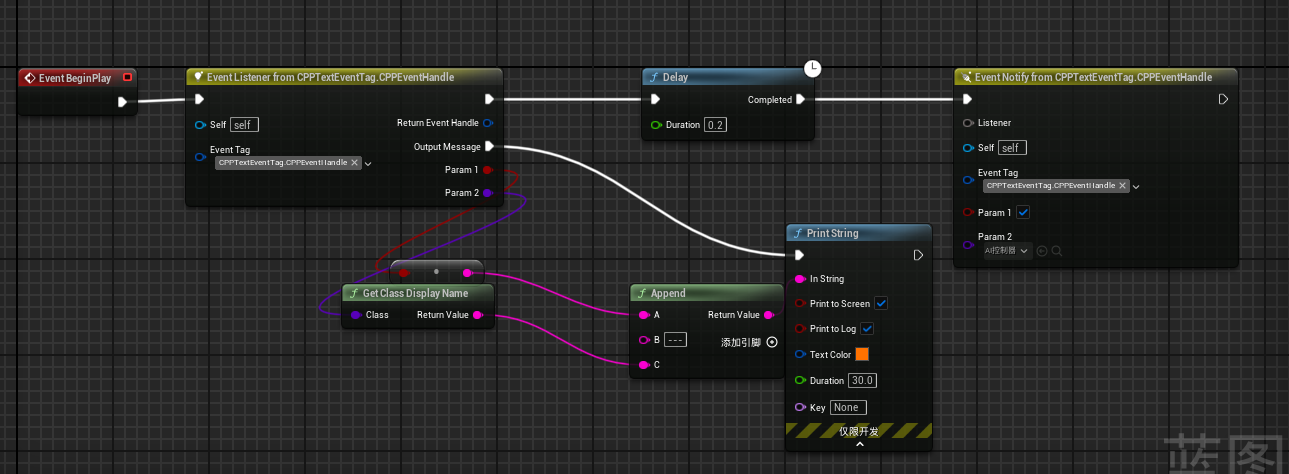
4. 蓝图中使用定义好的EventTag来监听与通知
方法一:
方法二:
想了解蓝图中的具体使用,请参考文档 2. 在蓝图中使用
评论区
分享你的想法,与大家交流讨论