The project's configuration information is located at: Edit→Game→LocalizationTool
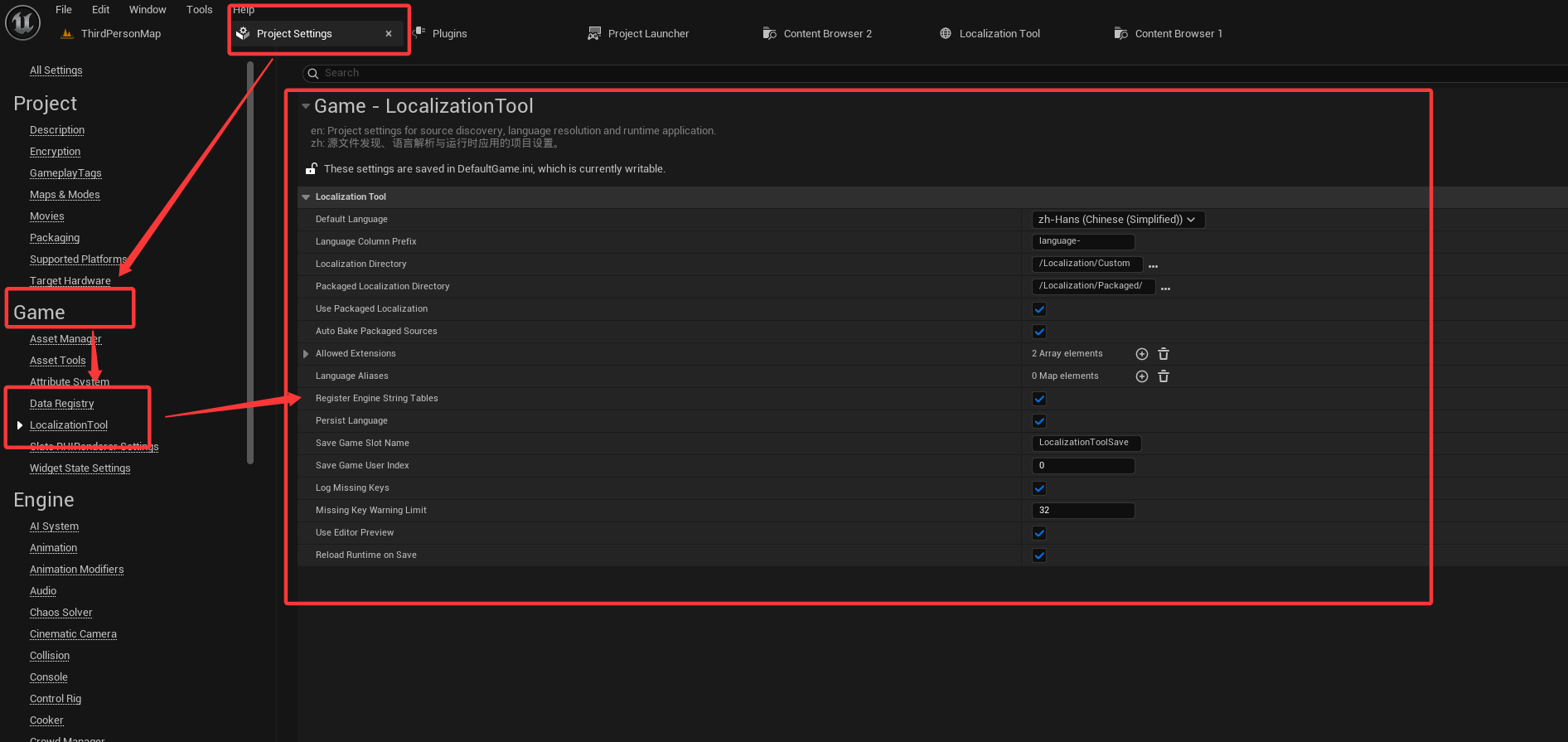
DefaultLanguage: The default language used when no saved language is available.
LanguageColumnPrefix: Language columns start with this prefix, followed by the language code. For details on the file configuration, see the description on the Chinese documentation home page.
LocalizationDirectory: Localization files will be searched for in this directory
PackagedLocalizationDirectory: The directory packaged into the build and used in packaged builds or when the switch is enabled.
UsePackagedLocalization: Defaults to true.Forces use of the packaged directory in the editor for testing; packaged builds always use this directory.
AutoBakePackagedSources: Defaults to true.Synchronizes loose source tables to the packaged directory after saving and when the editor starts.
AllowedExtensions: The list of all file extensions allowed when reading localization files. Currently csv and text formats are supported by default.
LanguageAliases: Optional language code aliases, for example, zh-CN to zh-Hans.
RegisterEngineStringTables: Registers the parsing results as engine string tables so that FText preserves the table and key identity.
PersistLanguage: Defaults to true.Writes the selected language to the save slot.
SaveGameSlotName: The save slot used to save the selected language.
SaveGameUserIndex: The save user index used to save the selected language.
LogMissingKeys: Defaults to true.Outputs a warning for each missing key, limited by MissingKeyWarningLimit.
MissingKeyWarningLimit: The maximum number of distinct missing keys written to the log.
UseEditorPreview: Enables the engine's localization preview in the editor.
ReloadRuntimeOnSave: Causes the editor to reload runtime data after a successful save.
Comments
Share your thoughts and discuss with everyone