Because the EventTag attribute is used in the blueprint to provide support for the EventSystem, the order of introduction here is EventTag→EventSystem
EventTag
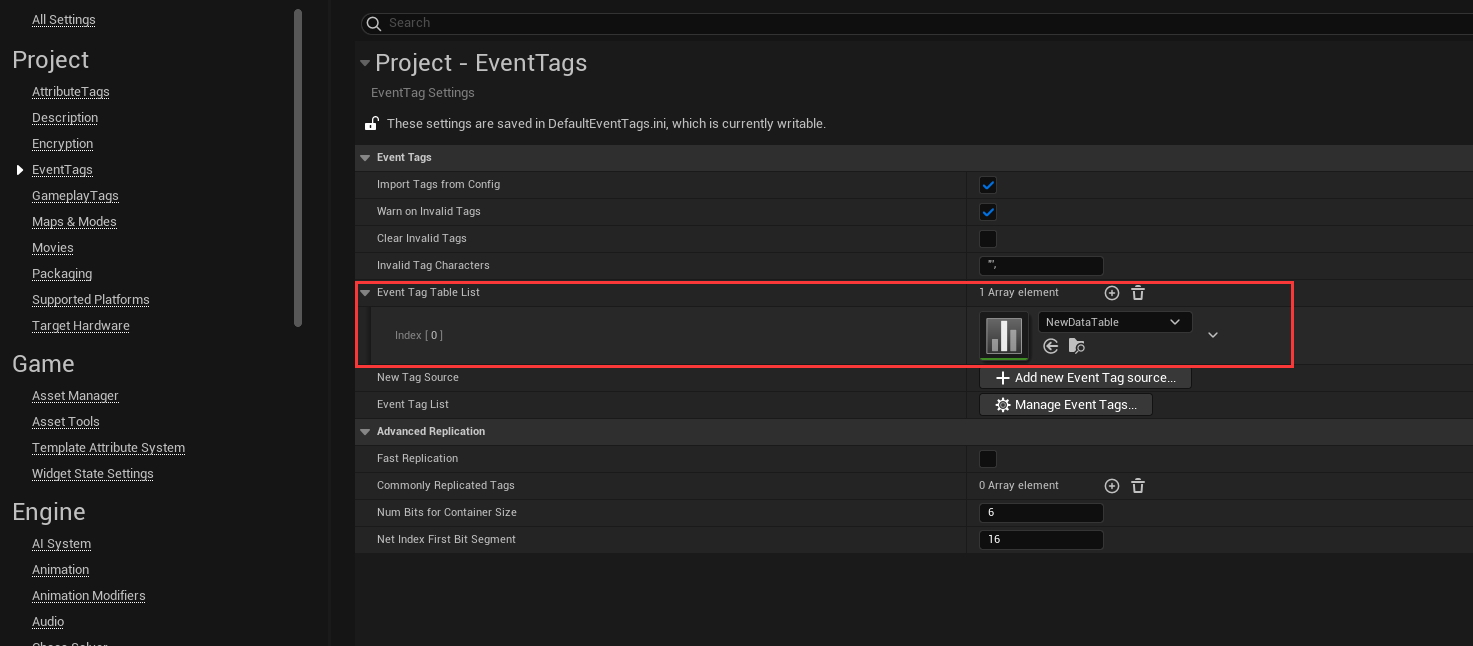
The usage is similar to GameplayTag, but it has some fewer functions and some more functions. First, the plugin can make some simple settings, as shown below:
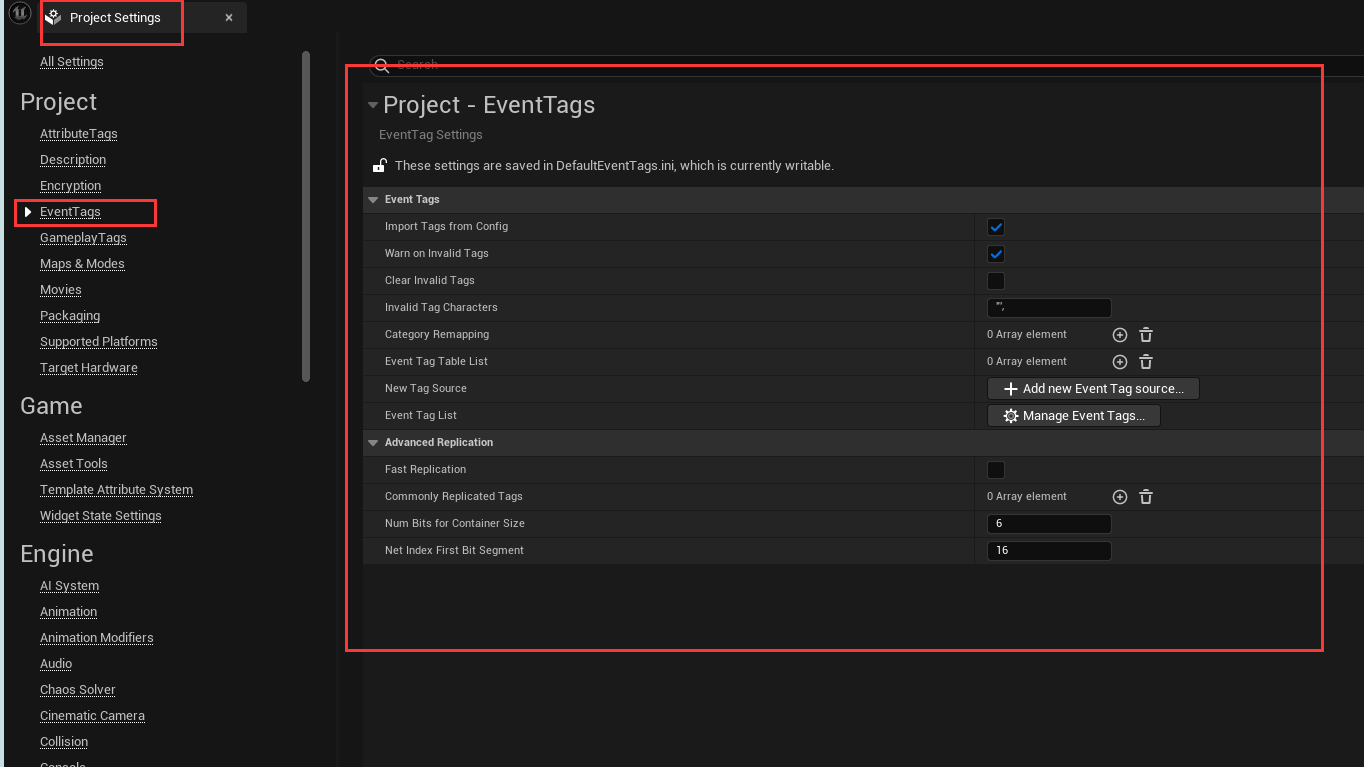
The main focus here is EventTagTableList 、NewTagSource 、EventTagList.
EventTagTableList
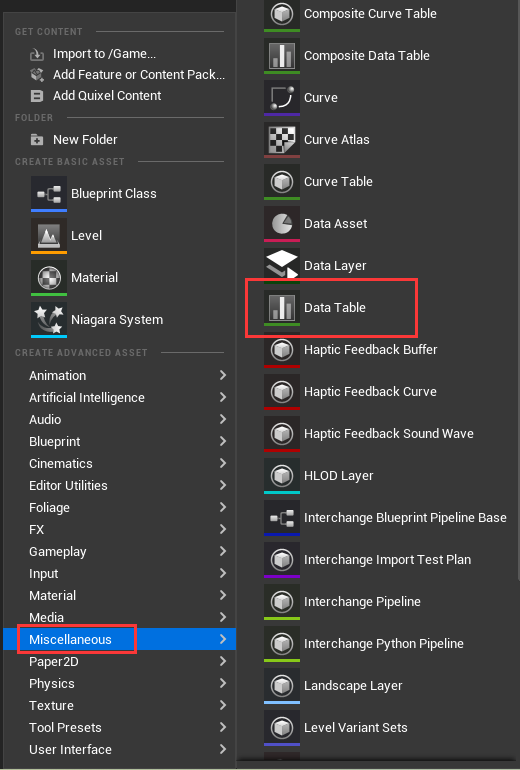
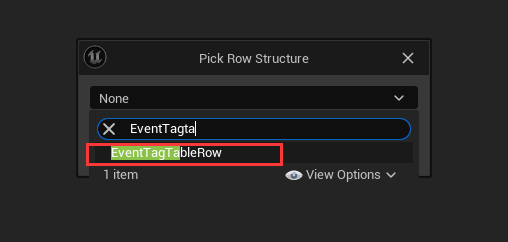
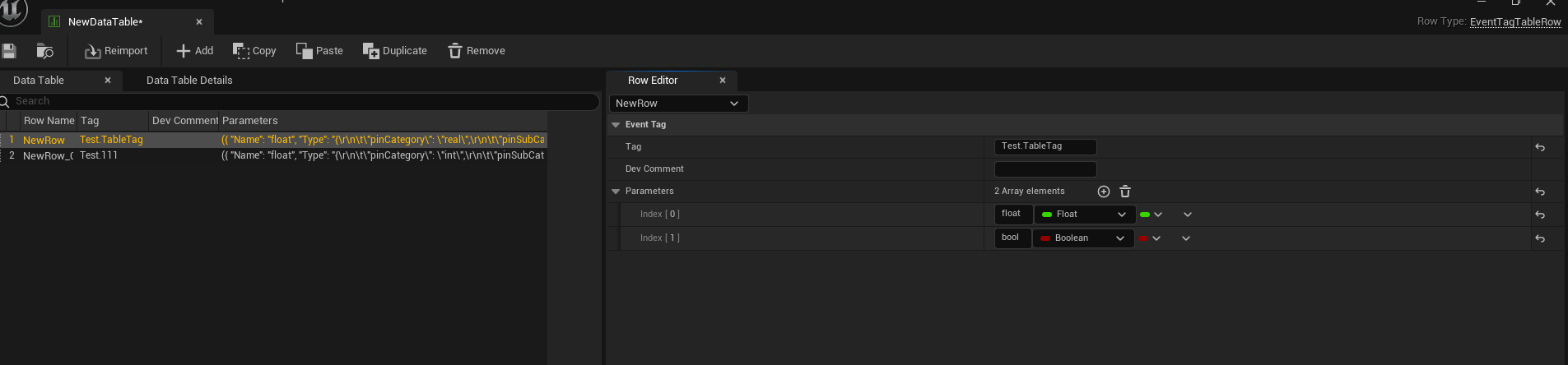
Here, you can use the data table to create event tags as needed, and the data table row is EventTagTableRow. The creation steps are shown in the figure below:
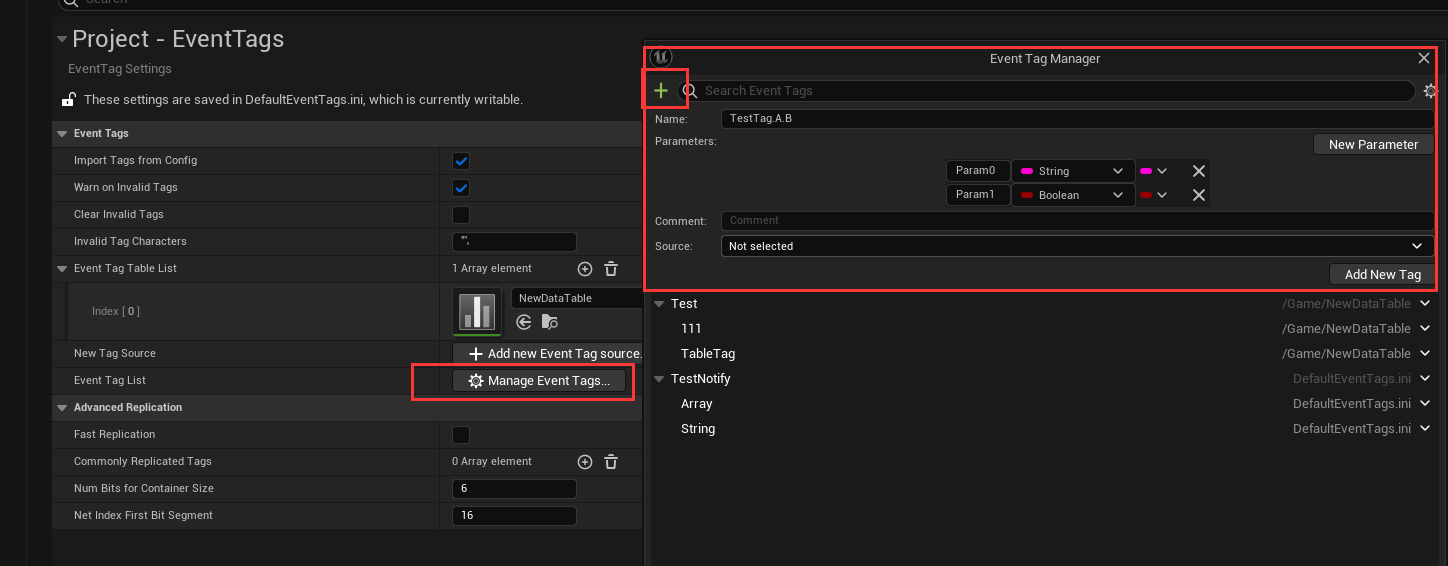
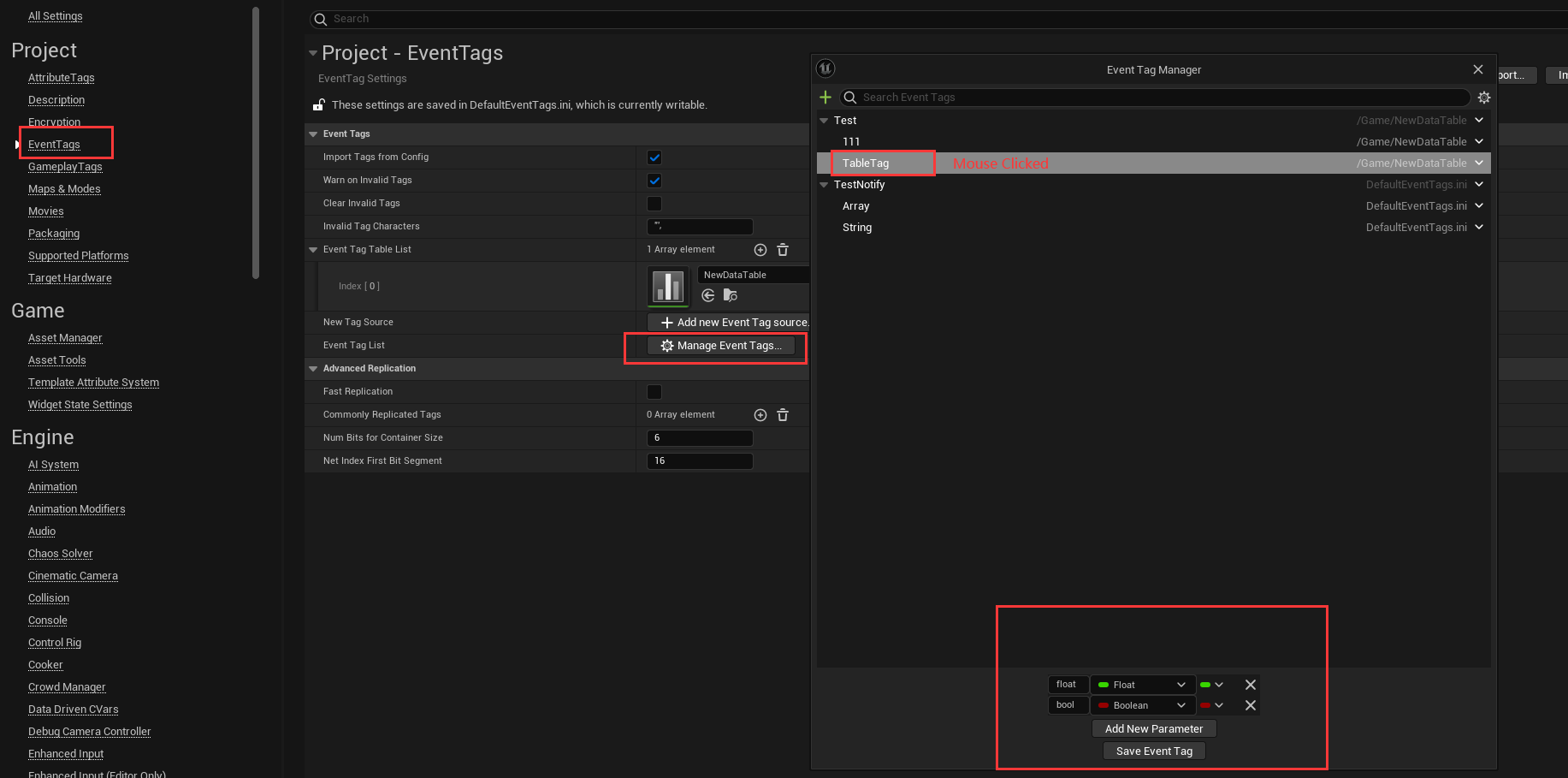
EventTagList
Here you can easily create EventTag and modify the parameter list of the created EventTag
EventSystem
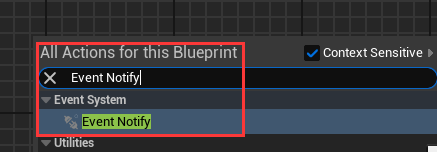
You can choose a method that suits you to use the listening event in two ways. You can use a node to notify the listening event.
Event Notify
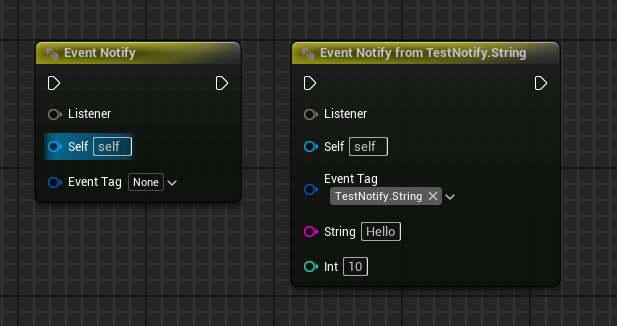
Event Listeners
method one: Event Listener
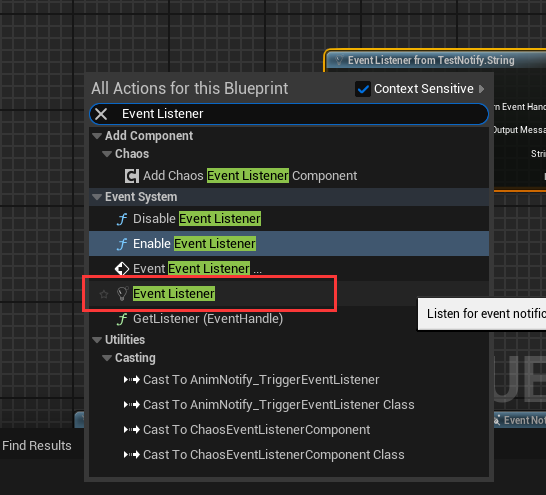
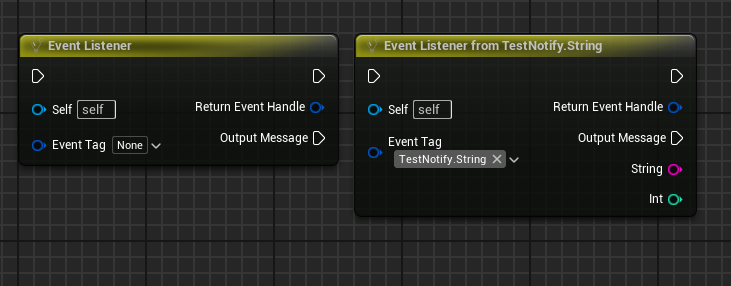
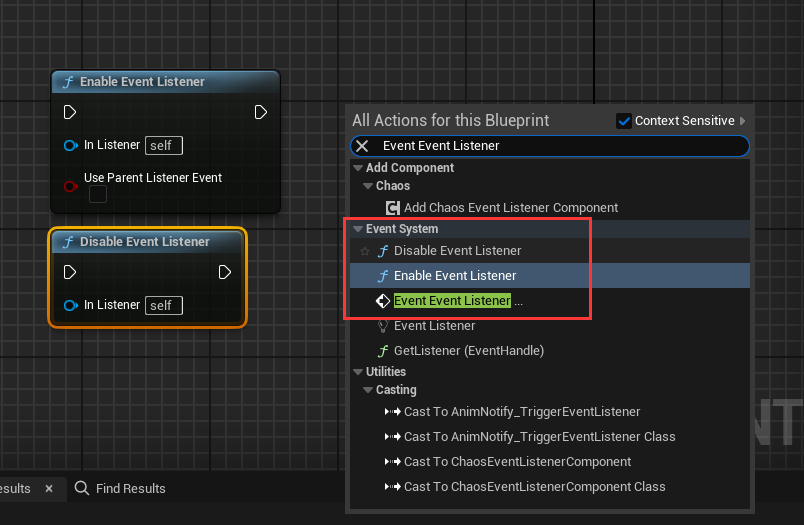
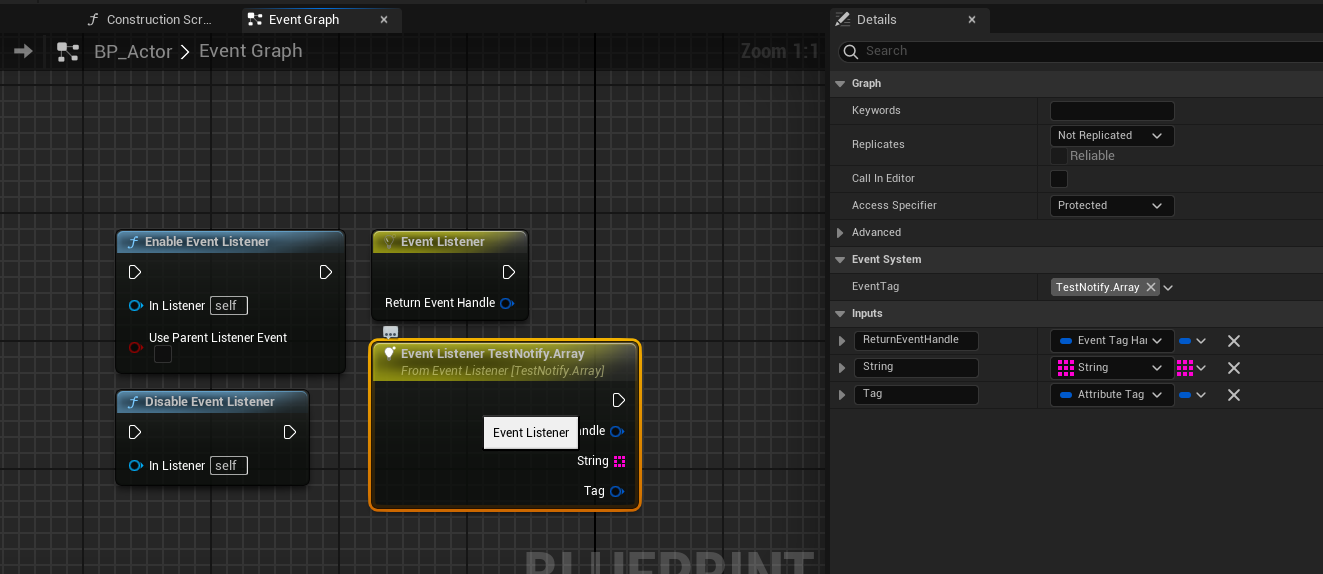
Method Two: Enable/Disable Event Listener 与 Custom Event Event Listener…
This is a custom event, meaning it will support UE's replication system. ***Special note: When using Custom Event Event Listener…, you must call Enable Event Listener before notification, otherwise the listening event will not be triggered. ***In "Enable event listeners", the default value of "use parent listener event" is false. By default, it will only register the "Event Listener" event of the current class to the system, because in most cases it should always be like this. However, in some cases, it is necessary to enable listening for the parent class. At this time, the parameter "use parent listener event" should be checked.
Comments
Share your thoughts and discuss with everyone